
Overview and Specification of 6KVA UPS (Eaton 9PX UPS Units)
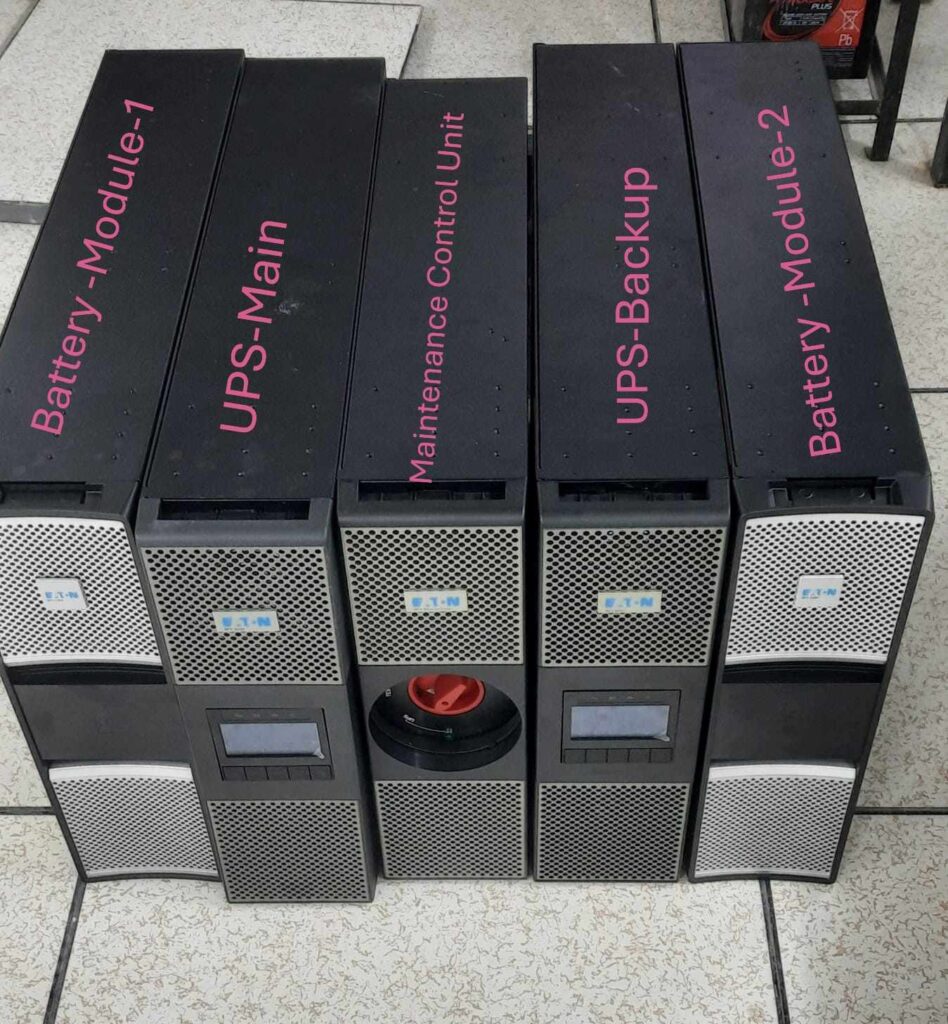
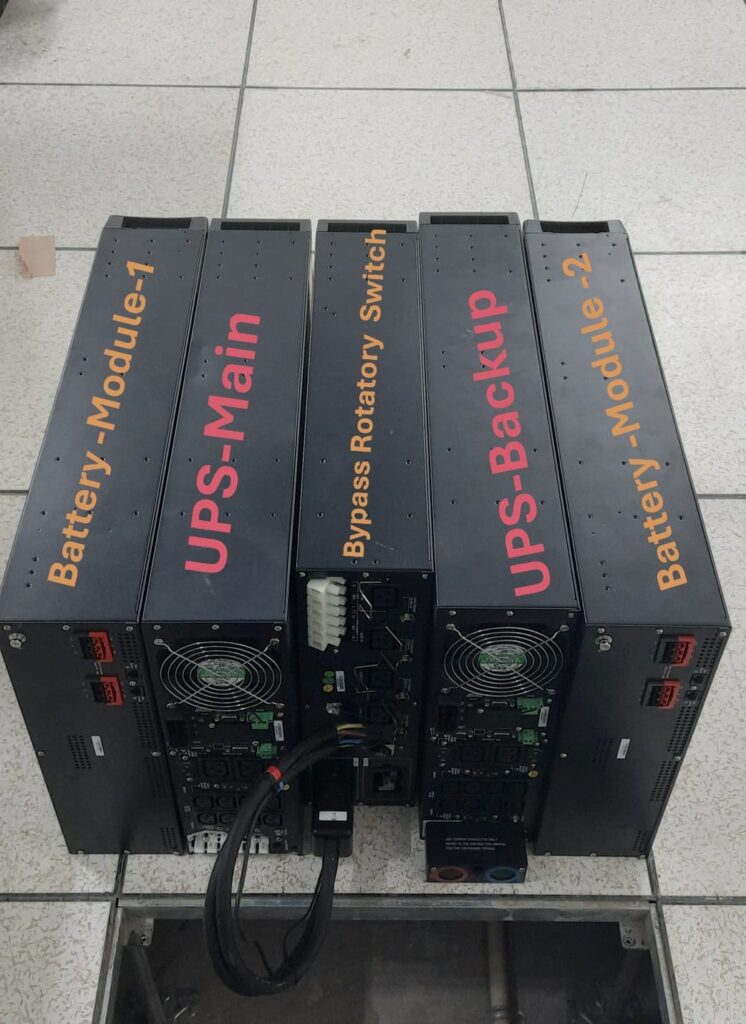
1.How to look, understand visual and identification as given picture above ups Sets -2.
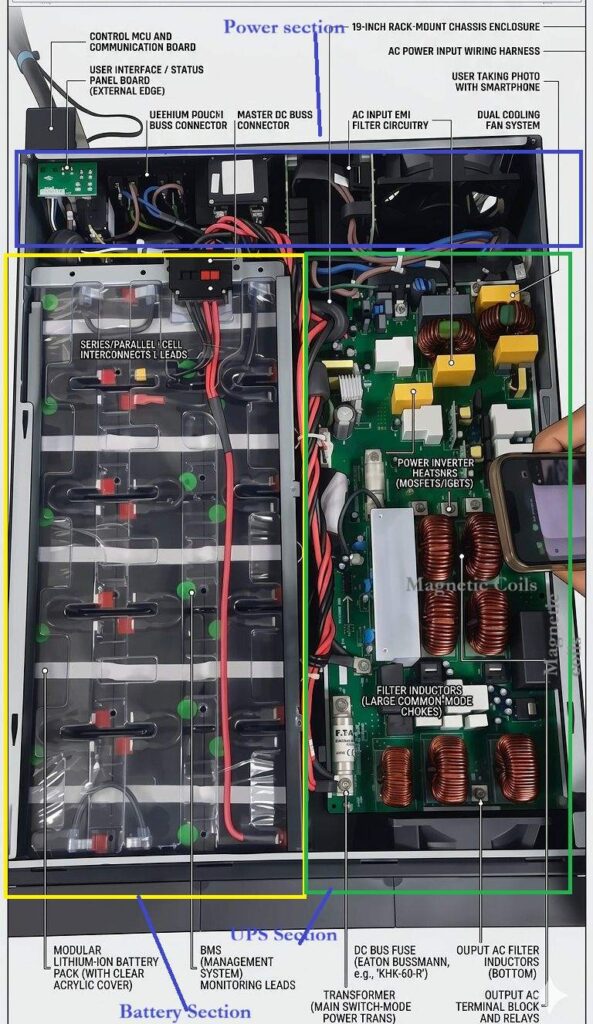
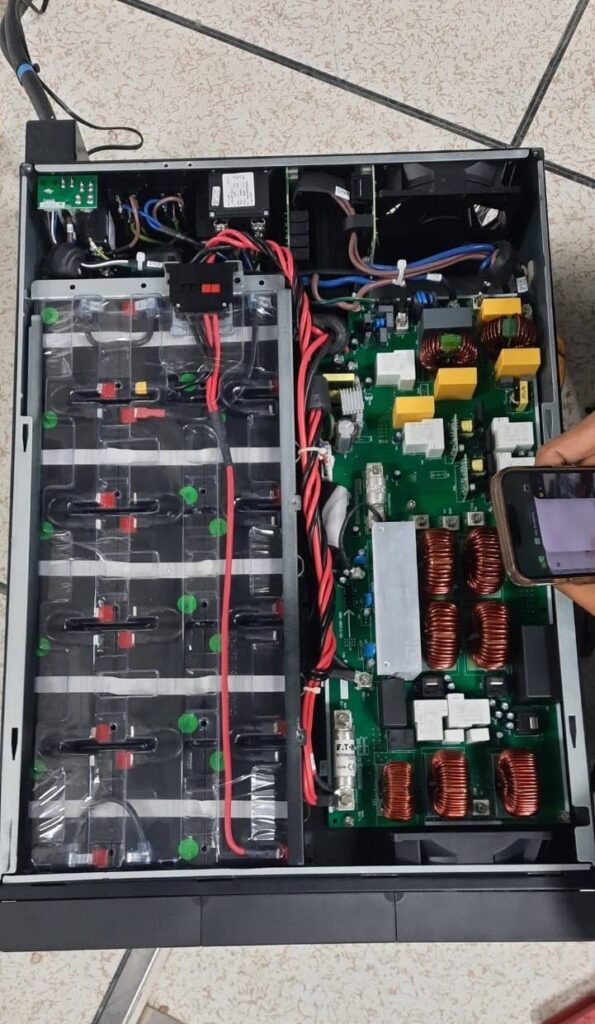
2. In this picture, there is an open UPS inside of the component, Magnetic Coils (Inductors and Transformers), a power module, output filter, surges Protection device (SPD) , Heat Sinks, MOSFETs or IGBTs, battery module section in DC Bar, a control section of the display, and more.
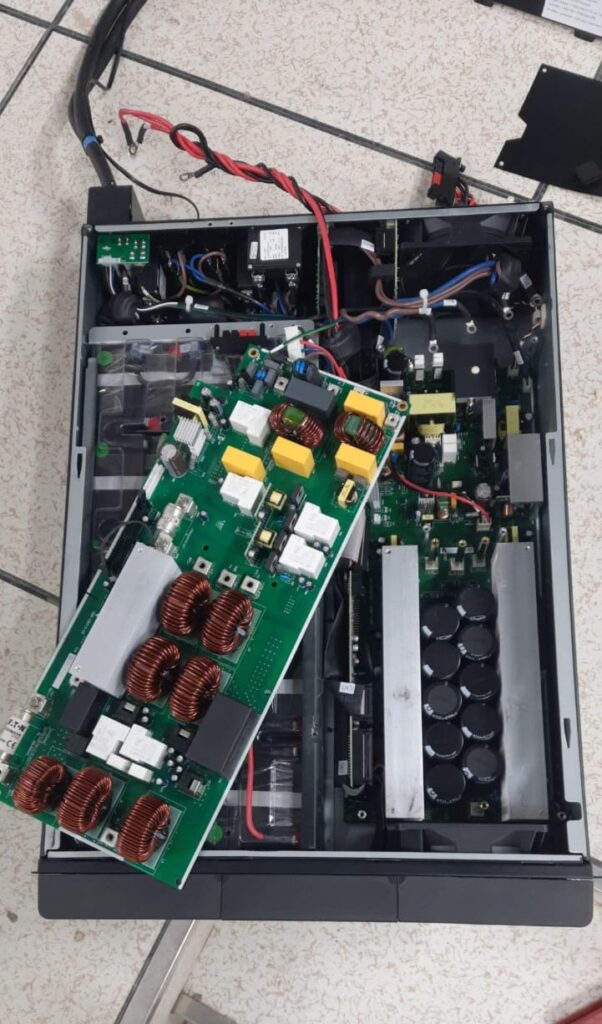
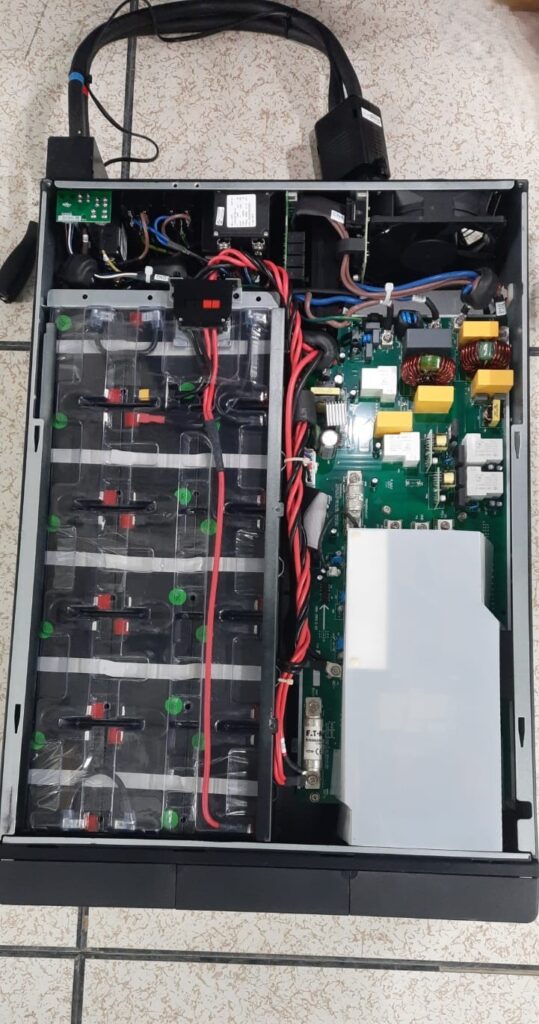
6 KVA online UPS price: Rs-14,00000-15,00000 for dual Conversion (Main and Backup) as in Fig. of UPS -Sets.
In this Above picture we can see that there are two sections; one is the battery module and the other is the power module, and it also has another separate battery module of UPS, but it depends on your requirement of load and capacity, so it is added to the UPS battery to increase battery capacity in series.
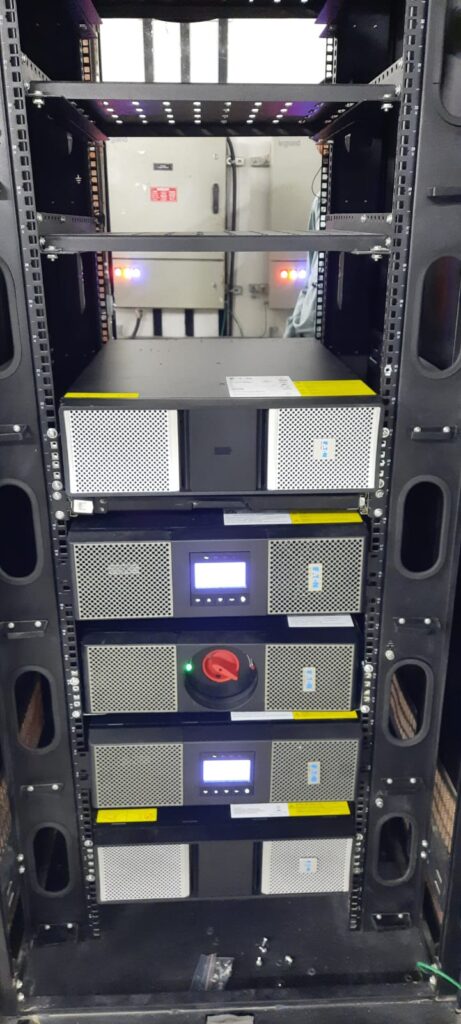
3. In this above picture you can see that ups installed in 42U ‘’ Rack as per standard and safety to prevent leakage, heating and air flow to perform system more reliable and stable to long life.
4. In this picture there are 5 modules of ups set system, which are 2 UPS (M & B), 2 Battery Module (M& B) and selector/or to manage both UPS even one UPS failed then Automatic to manage by 2nd UPS well.
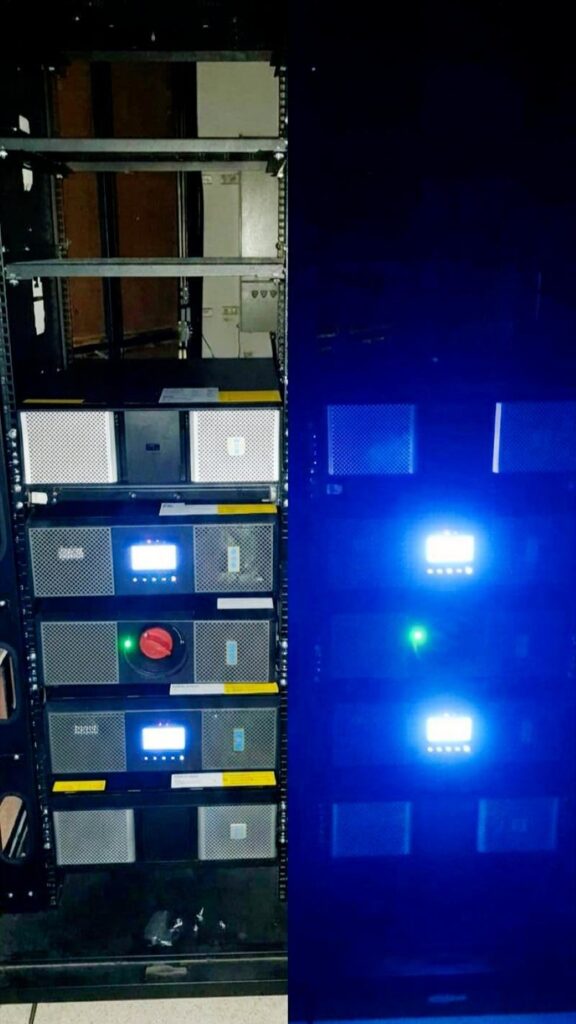
UPS System Breakdown as Below picture as for Reference
In this Picture there are five modules in the typically work together in a parallel configuration to ensure power continuity to maintained redundancy power and to stable and safe critical system.
- 2 Nos -UPS Modules with Battery (Units with LCDs Control and Configure): These are the “brains as to control unit” of the UPS system and in this fig showing both side of Maintenance Bypass Module. They perform double-conversion (AC to DC and back to AC via Battery Module as show in fig.) to provide stable, regulated power to your equipment and system.
- 2 Nos -Extended Battery Modules (EBMs – Units): Located on the outer ends/Beside of Both UPS, these provide the energy storage necessary to maintain the load during input row power failure and typically provide backup up to 3 Hrs and it depend on Loading of system.
- Maintenance Bypass Module (Centre Unit with Rotatory switch as Red Dial in fig.): This allows you to manually switch the load to utility power, enabling you to service or replace the UPS modules without shutting down the connected equipment well.
Int this fig you can see that rotatory switch to UPS to Bypass (direct from input source) but good to be set or select as UPS.
Working Principle & Redundancy:
Both UPS of these units are designed to operate in parallel mode Operation (1st configure setting on LCD Display but battery backup then both UPS press power button same time to hold 10 sec then release) for both load sharing and redundancy:
- Load Sharing: The “main” UPS -1 units (typically units 1–4) Operation share the total power demand equally to connected via VGA Cable in parallel, they utilize a “active load sharing” protocol to utilized a active load sharing of both ups
Example: Let’s suppose the total load of equipment is 4 kW, so when both UPSs are connected in parallel, the load is shared between them via a communication protocol, and UPS-1 shares around 2 kW and the other UPS shares 2 kW (depending on the connected equipment, so the load may not be the same in both UPSs). Even if one UPS fails or is not in operation, the total load shifts to the other active UPS.
- Redundancy: Backup” UPS-2; units (typically 5–8) remain synchronized via VGA cables and stand ready to immediately take over operations should a primary UPS fail or require maintenance; in this manner, the backup UPS-2 maintains the power supply, keeping all equipment running without any interruption or power Off.
- Synchronization: The modules communicate via parallel VGA cables to ensure to perfectly as well as property configuration set to their AC outputs are in phase and both ups must be in same capacity i.e. 6KVA of each before they are tied together at the output bus.
- Load Sharing vs. Redundancy: While Units 1–4 actively share the load, Units 5–8 function as redundant modules; if any single UPS (whether primary or backup) fails, the system automatically switches to an active UPS without any loss of power supply or interruption.
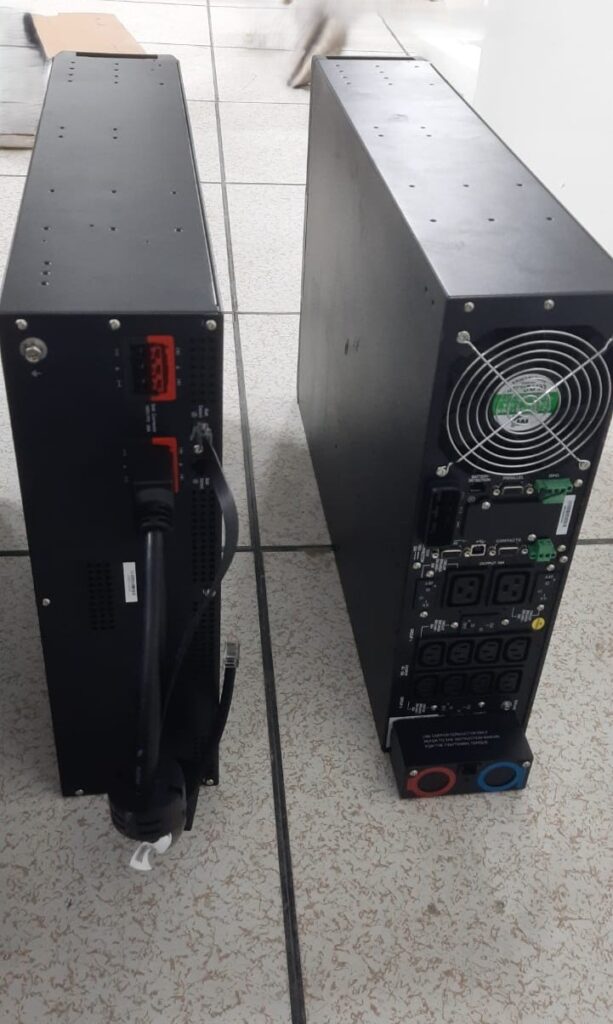
Connection Strategy As show below diagram:
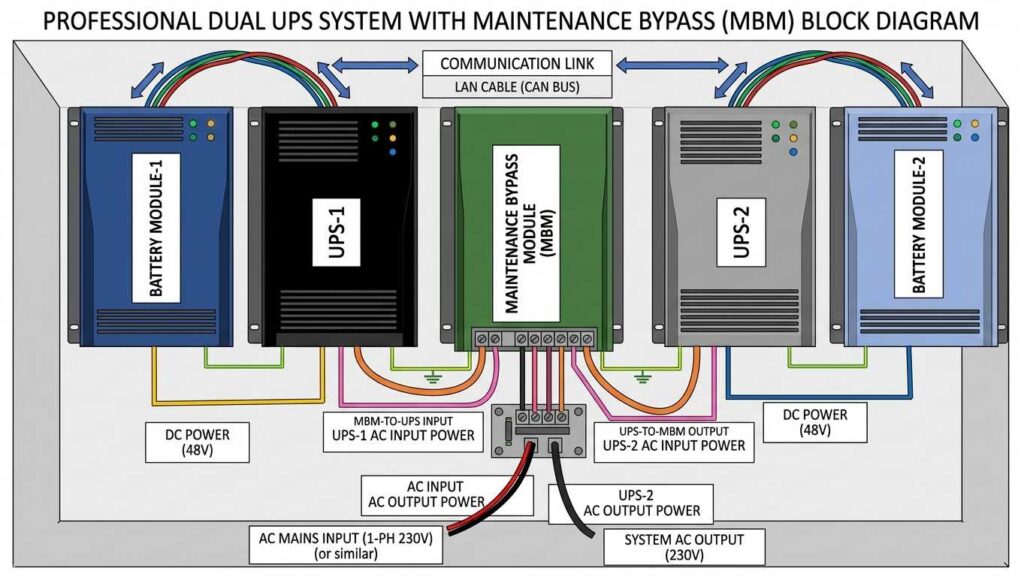
Connection Strategy
Parallel and redundant configuration you’ve established, as input/Output Power the connections generally follow this logic connection as show below picture:
- DC Power Connectivity: Each power module of the UPS is connected to its respective own EBM(s) via heavy-duty DC power cables connected to the battery modules as show. Similarly, in the backup UPS-2 system, each “node Port ” its own dedicated or shared battery backup UPS, which serves to provide a continuously stable power supply to both UPS units.
- Communication Link: Parallel communication cables (typically VGA or specialized Eaton cables RJ45) must be daisy-chained between the Power Modules. This allows them to “talk” to each other to manage load sharing and health status and alert on UPS LCD Display.
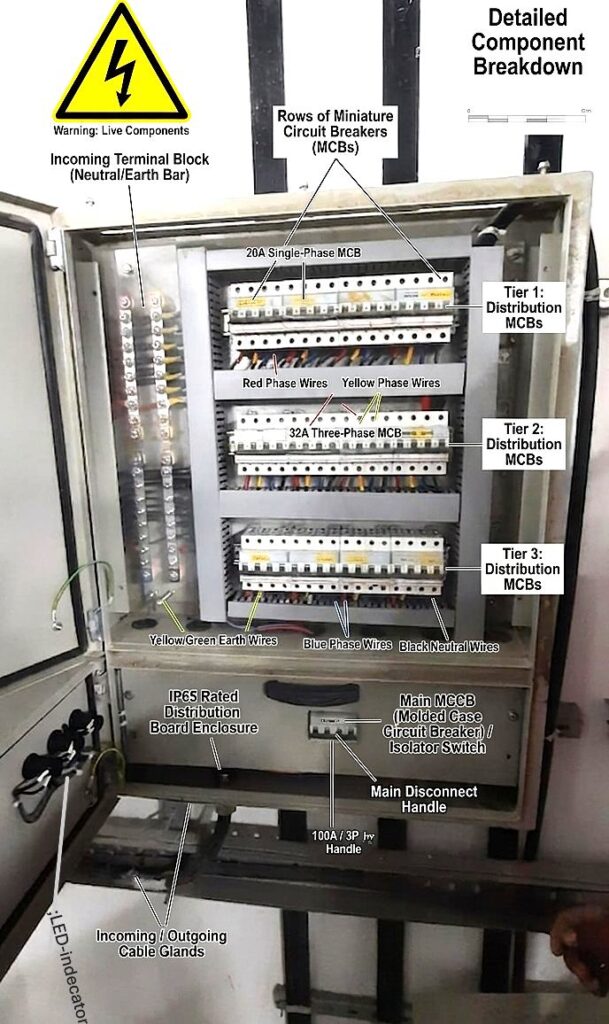
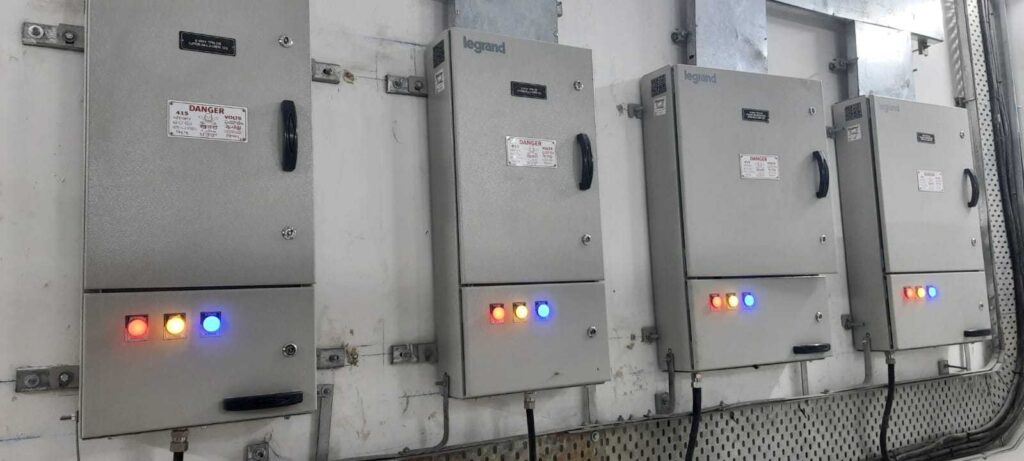
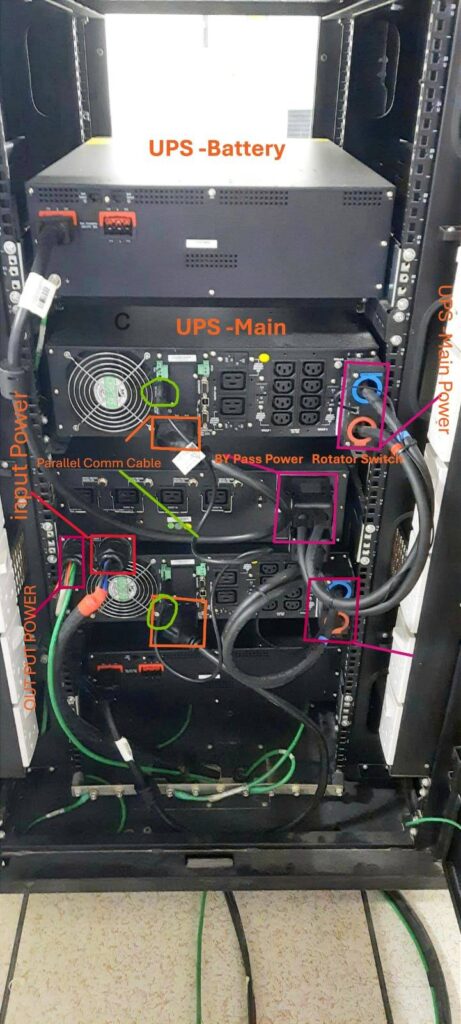
AC Input/Output Power Supply:
DC power cables of each UPS are connected via battery Modules, and then the battery Modules of the DC source converts IN AC to the UPS System, and finally, the bypass module provides output to equipment by using both UPS source inputs.
Input and Outputs: The AC Input & outputs from all Power Modules are tied together at the Maintenance Bypass Module as show in fig -Last