
Ethernet, Cables & Fiber Optics
The Networking Basics Every IT Professional Must Master for Infrastructure Reliability.
⚙️ Ethernet Standards & SpeedsEthernet Standards & Speeds
| Standard | Name | Speed | IEEE Spec | Common Media |
|---|---|---|---|---|
| 10BASE-T | Ethernet | 10 Mbps | 802.3i | Cat3/Cat5 UTP |
| 100BASE-TX | Fast Ethernet | 100 Mbps | 802.3u | Cat5/Cat5e UTP |
| 1000BASE-T | Gigabit Ethernet | 1 Gbps | 802.3ab | Cat5e/Cat6 UTP |
| 2.5G/5GBASE-T | Multi-Gig | 2.5/5 Gbps | 802.3bz | Cat5e (2.5) / Cat6 (5) |
| 10GBASE-T | 10-Gigabit | 10 Gbps | 802.3an | Cat6/Cat6A UTP |
| 25G/40GBASE-T | 40-Gigabit | 25/40 Gbps | 802.3bq | Cat8 STP |
📏 Copper Ethernet (Twisted Pair)
UTP Categories
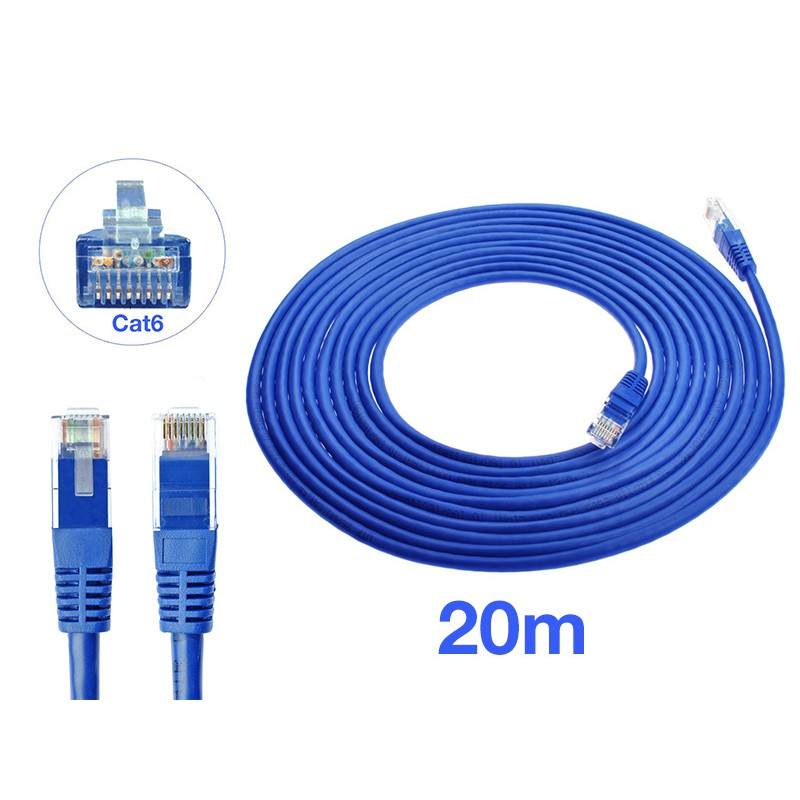
- Cat5e: Up to 1 Gbps. “e” for enhanced (reduced crosstalk). 100 MHz
- Cat6: 1 Gbps @ 100m, or 10 Gbps up to 55m. 250 MHz
- Cat6A: 10 Gbps @ full 100m distance. “A” for Augmented. 500 MHz
- Cat7/7A: S/FTP (Shielded). Supports 10G/40G. 600-1000 MHz
- Cat8: 25/40 Gbps, limited to 30m distance. Data center use. 2000 MHz
Fire Ratings
Plenum (CMP): Low-smoke, fire-resistant. Required for air ducts.
Riser (CMR): For vertical runs between floors. Not for air spaces.
LSZH (Low Smoke Zero Halogen) is often required in European data centers to prevent toxic gas release.
Wiring Standards
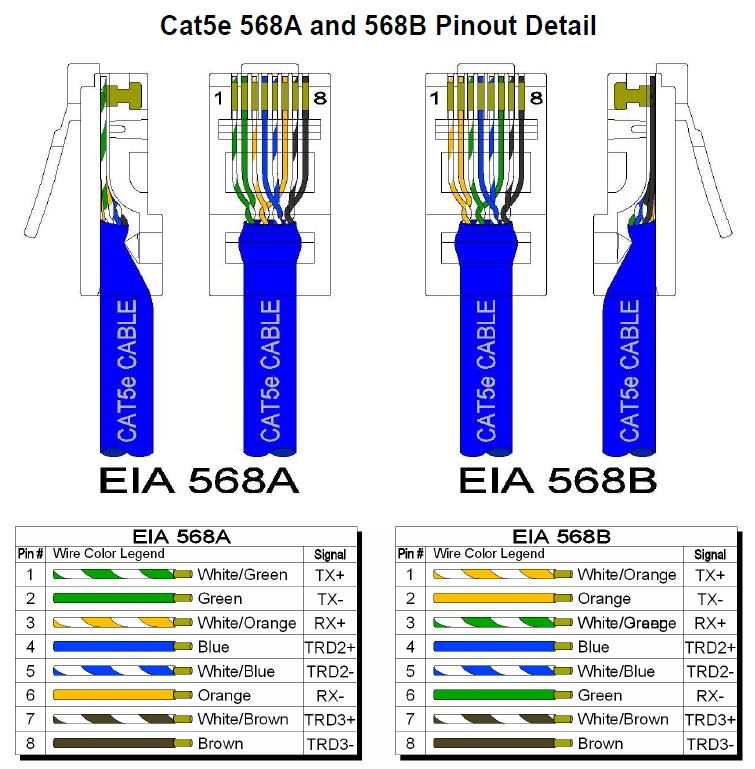
Most modern installations use T568B. If one end is A and the other is B, it creates a Crossover cable.
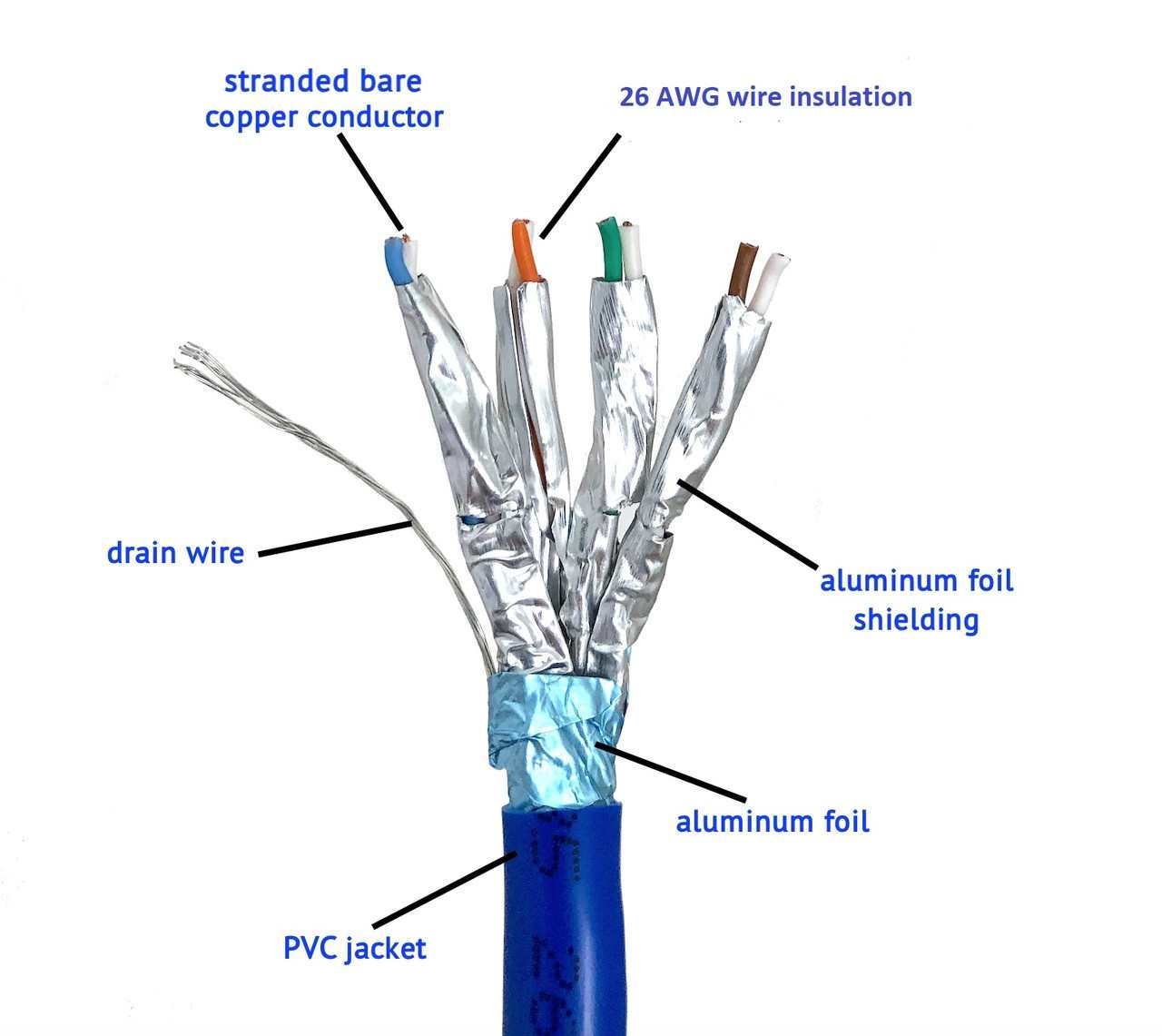
ScTP (Screened): Uses a foil shield around all pairs, common in industrial Cat6A.
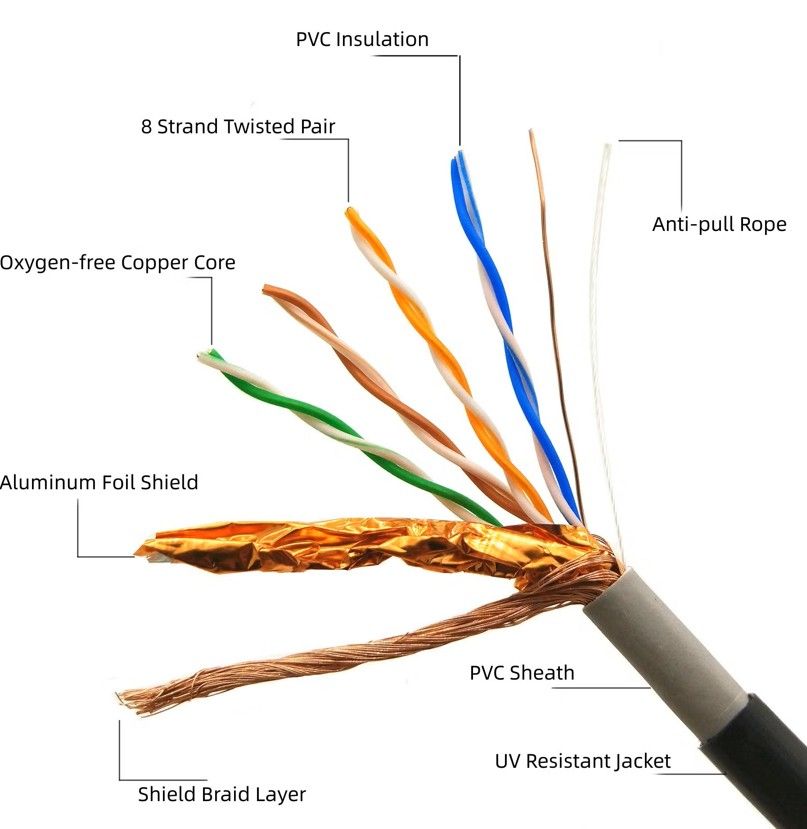
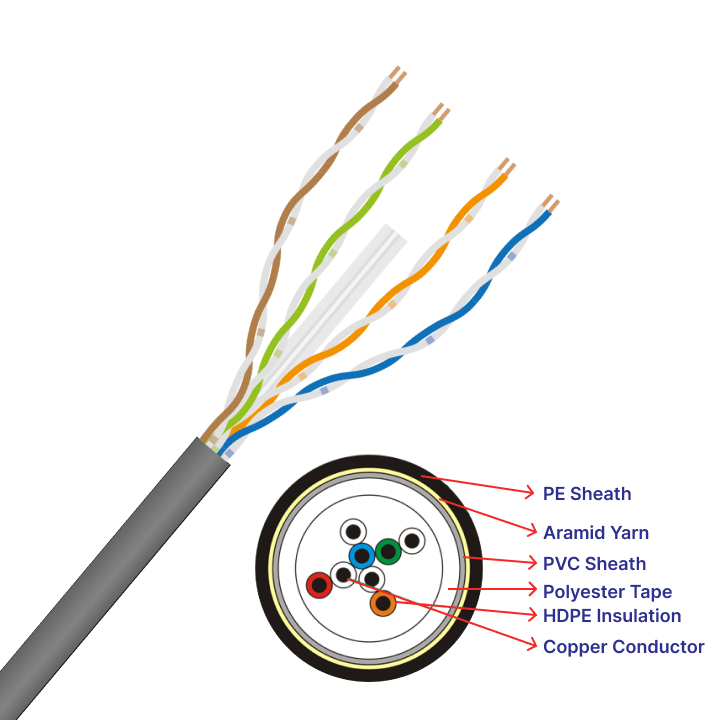
Visual: UTP Cable Anatomy
Note: The “twist” in twisted pair is scientific—different pairs have different twist rates (twists per inch) to prevent “Near-End Crosstalk” (NEXT) between the pairs themselves.
Fact: Modern high-speed cables (Cat6+) often include a plastic “Spline” to physically separate the pairs and further reduce crosstalk.
| Pros | Cons |
|---|---|
|
|
⚡ Power over Ethernet (PoE)
Combining data and power in one cable for VoIP, WAPs, and IP Cameras. This eliminates the need for electrical outlets at the device location.
🔍 Fiber Optics
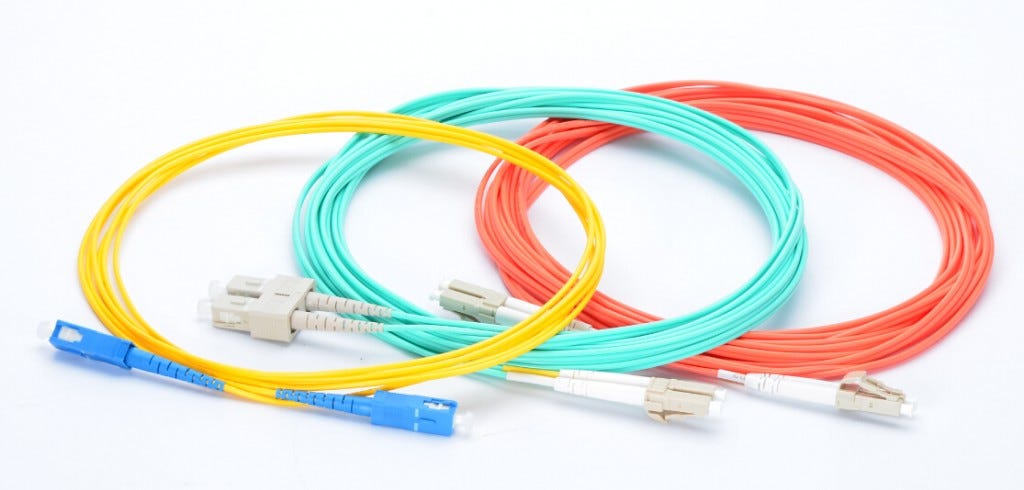
UPC (Ultra Physical Contact)
Blue connectors. Polished flat. Standard for most networking applications. Lower return loss than standard PC.
APC (Angled Physical Contact)
Green connectors. 8-degree angle polish. Best for preventing back-reflection. Used in high-bandwidth ISP and Video/RF links.
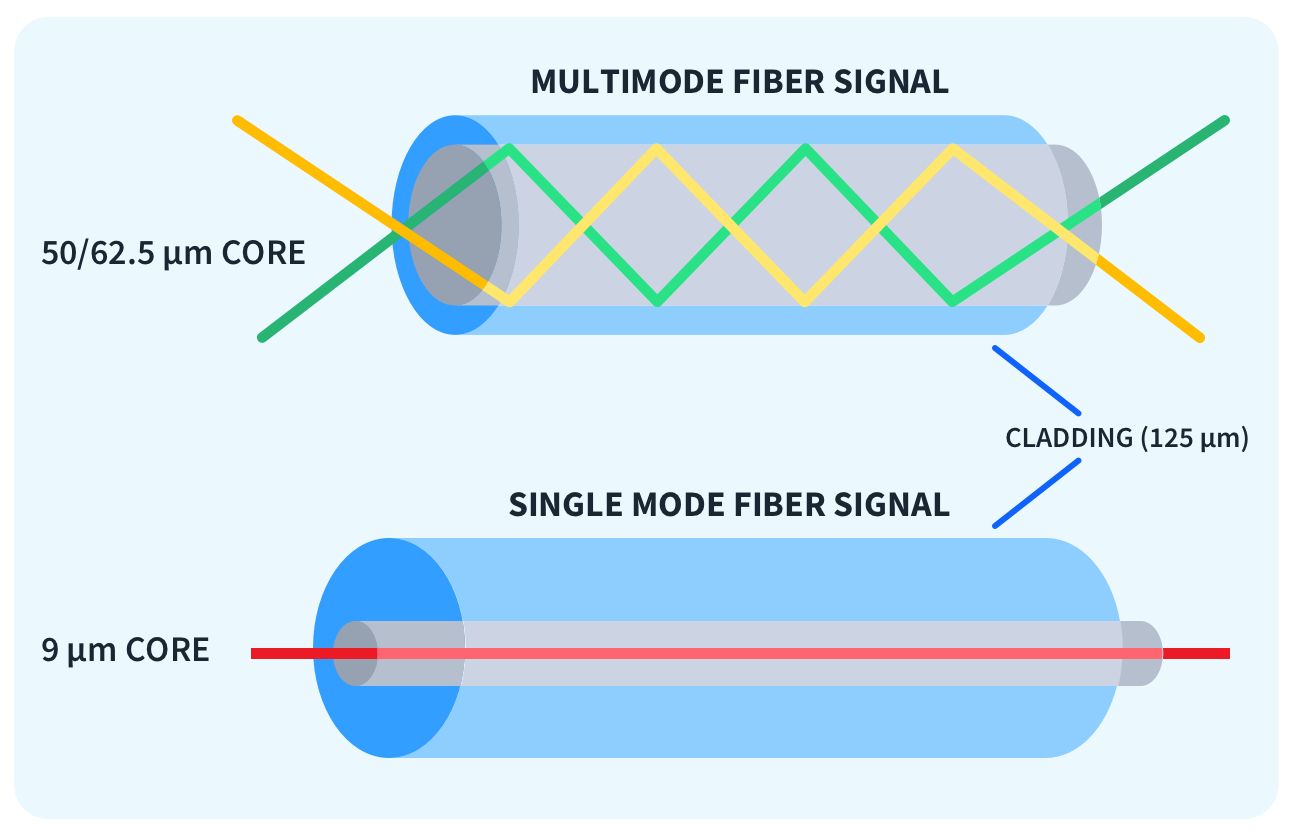
Single-Mode (SMF)
Uses high-power lasers and a tiny 9µm core for extreme distance. Single light path reduces modal dispersion.
- Distance: 10km to 100km
- Wavelengths: 1310nm / 1550nm
- Used in: WAN, ISP, Campus Backbones
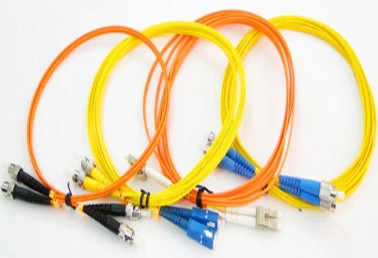
- Fiber Color Code: Yellow (OS1/OS2)
CON: High-cost laser transceivers.
Multi-Mode (MMF)
Uses LEDs/VCSELs and a larger 50µm core for shorter internal runs. Multiple light paths bounce inside the core.
- Distance: ~550m (OM3/OM4)
- Wavelengths: 850nm / 1300nm
- Used in: Data Centers, Server Rooms
- Fiber Color Code: Aqua (OM3/OM4), Orange (OM1/OM2)
CON: Limited distance (Modal dispersion).
⚠️ Warning: Light Safety
Never look directly into a fiber cable or transceiver. Single-mode lasers and even multi-mode VCSELs can cause permanent eye damage. The light is infrared and invisible to the human eye.
🔌 Transceivers & Interfaces
Modular SFP Types
1 Gbps (Standard)
10 Gbps (Most common core/server)
25 Gbps (Data Center standard)
4x SFP (40G or 100G)
Direct Attach Copper (DAC)
DAC cables (Twinax) are integrated copper cables with SFP+ ends. They are the preferred method for “Top of Rack” (ToR) switching.
- Distance: Max 7-10 meters.
- Benefit: Fraction of the cost of fiber + 2 optics.
- AOC: Active Optical Cables use fiber but are permanently attached to transceivers.
🛠️ Essential Technician Toolkit
Wire Mapper
Checks for continuity and pinout errors.
Tone Generator
Locates specific cables in a bundle (Fox & Hound).
Punchdown Tool
Connects wires to patch panels/keystones.
OTDR
Measures fiber light loss and locates breaks.
⚠️ Challenges & Troubleshooting
Common Data Loss Factors
Attenuation
Signal weakening over distance. Copper drops after 100m. Fiber is affected by dirty tips.
Crosstalk
Signal bleeding between copper pairs. Often caused by poor termination or cheap cabling.
Jitter
Variation in packet delay. Caused by network congestion or hardware buffering issues.
Redundancy Methods
- LACP (802.3ad): Link Aggregation for bandwidth and link failover.
- Dual-Homing: Connecting to two different physical switches.
- STP (802.1D): Preventing Layer 2 loops and broadcast storms.
- HSRP/VRRP: Gateway redundancy at Layer 3.
- MLAG / vPC: Multi-chassis link aggregation for high-availability core.
Troubleshooting Workflow
- Physical Layer: Check Link Lights, reseat cables, swap patch cords.
- Performance: Check CLI (`show interface`) for CRC Errors or Late Collisions.
- Fiber Verification: Check Optical Power levels (dBm) and use an OTDR for break locations.
- Environment: Check for nearby EMI sources or cable heat.
- Configuration: Verify VLAN tagging, Duplex, and MTU size (Jumbo frames).
📊 The Optical Loss Budget
Before deploying fiber, calculate the “Loss Budget” (Power in – Power out). If your loss is > 3dB (half the power lost), you may see intermittent links.