
Network Cable Management: A professional approach for optimal performance in Infrastructure Excellence and design.
Exploring the critical relationship between cable dressing, Tags, system longevity, Quick Route Tracing and replacing and to Maintained operational efficiency.
In the modern data center, and Network Architecture design to esthetic arrangement of cabling is often mistaken for mere vanity but also important for Network Maintenance and cost effective . However, professional Skill for cable dressing and management represent a fundamental pillar of network reliability and easily maintenance. Beyond the visual appeal, an organized rack environment dictates the thermal health, signal integrity, and maintainability of the entire enterprise infrastructure or Data center so must be, tags table name with source and destination point connection for example for Destination) to patch panel (connecting point) and External device such as router (source).
~~. Switch (SW)-<——-Patch Panel (Connecter)-<———————–Router /Media Convertor
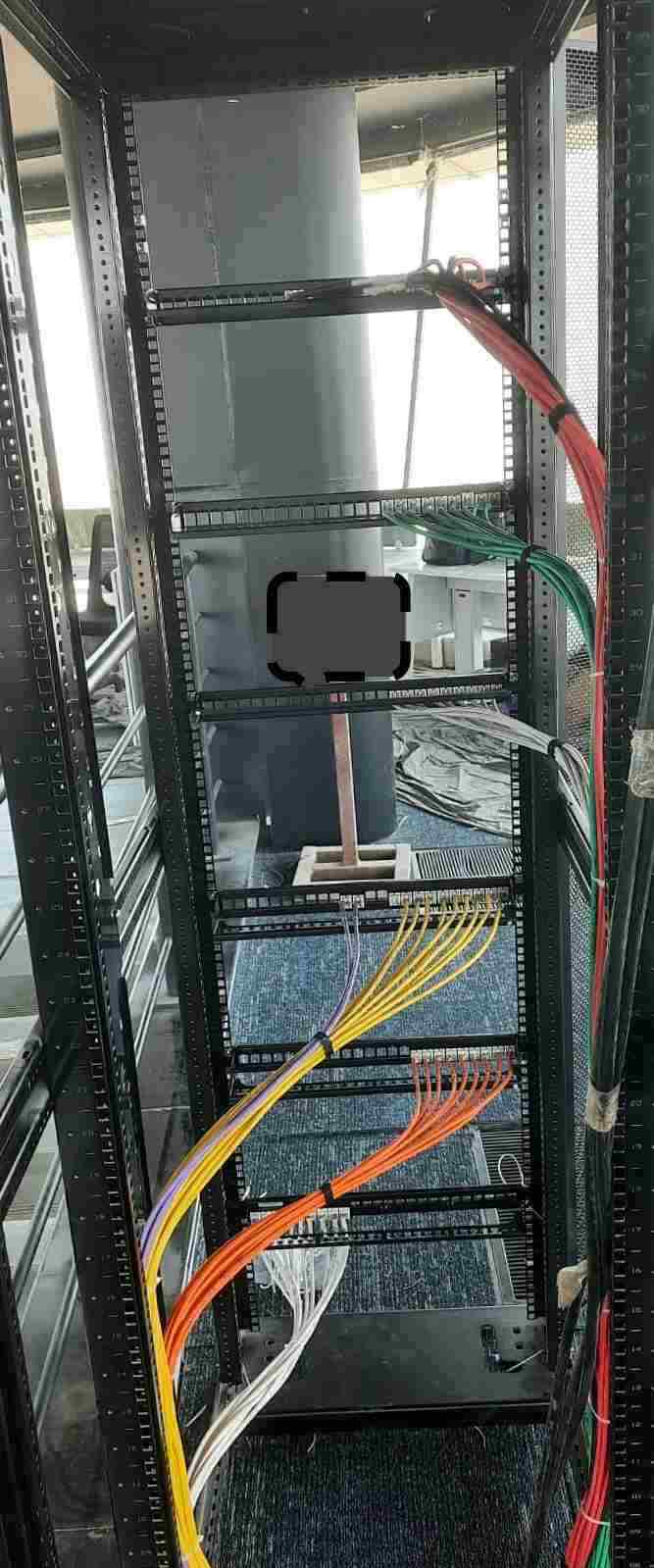
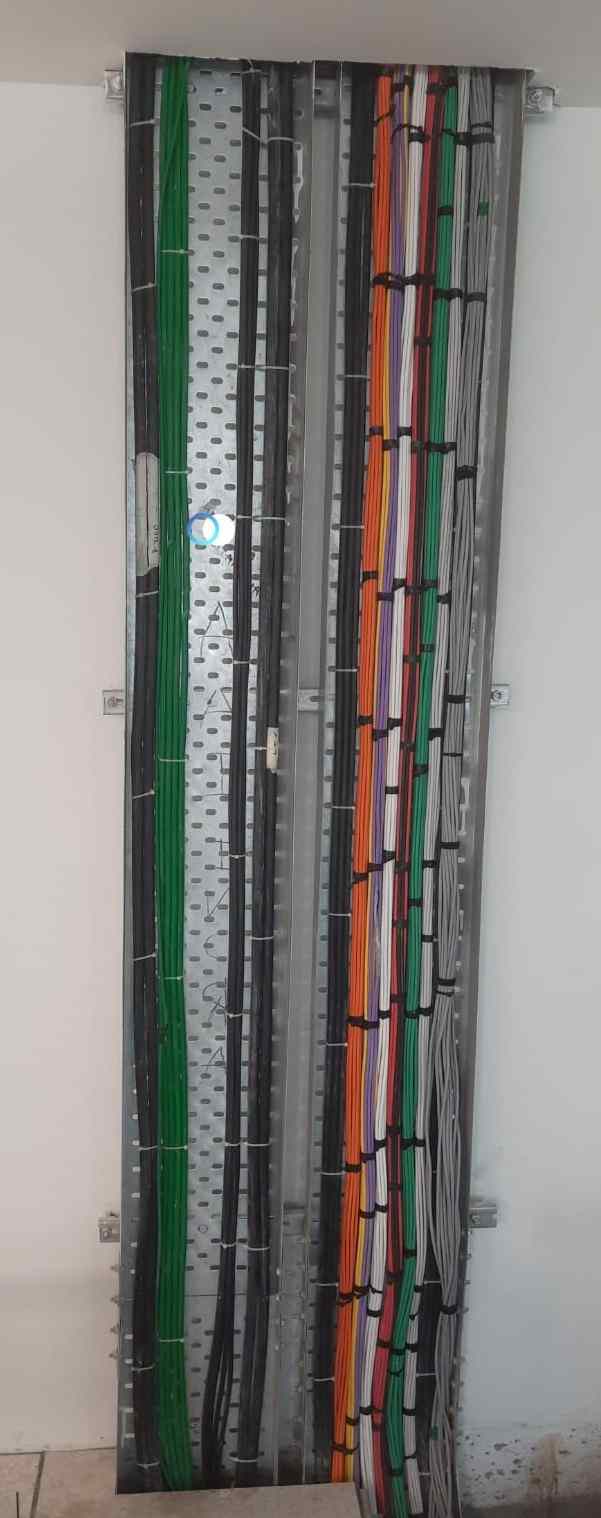
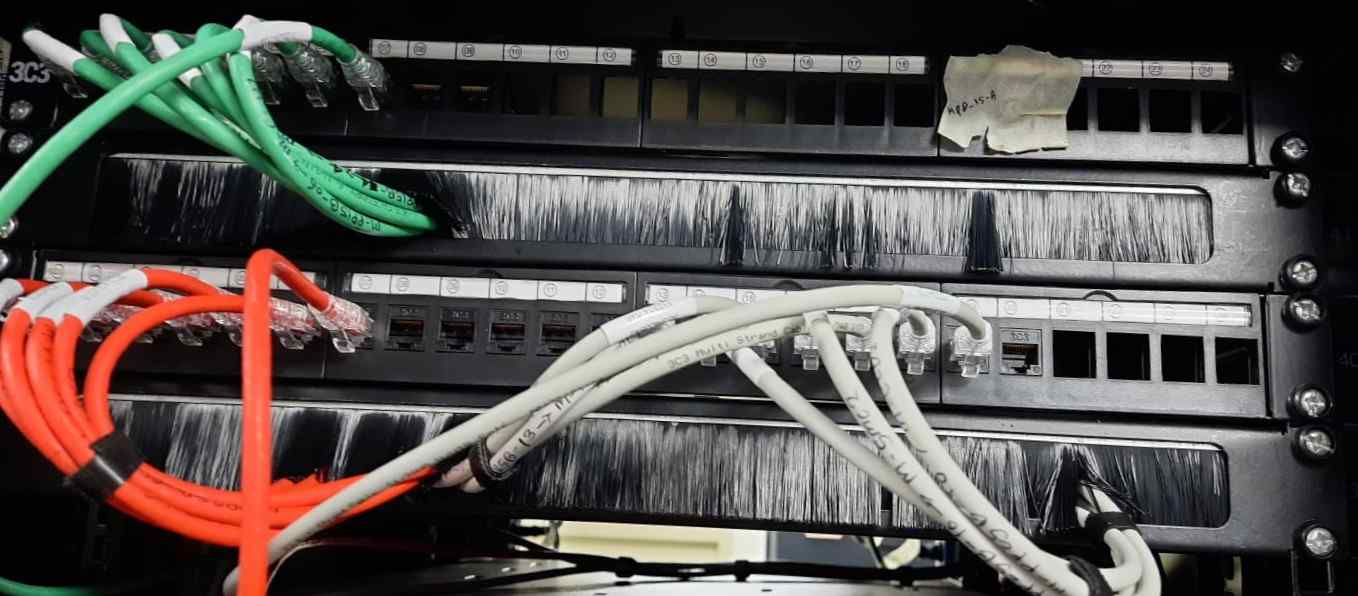
Cable dressing meaning as we can see above Picture & More
1. The Critical Mandate for Management
Thermal Dynamics
Unmanaged “cable spaghetti” creates physical barriers known as cable dams. These dams trap exhaust heat, forcing fans to work harder and leading to hardware throttling or premature failure.
Signal Performance
Physical stress on copper or fiber—caused by the weight of unbundled cables or excessively tight bends. Not proper routing of Cat 6 Cable —induces attenuation and NEXT (Near-End Crosstalk), degrading network speeds.
Operational MTTR
Mean Time to Repair (MTTR) is drastically reduced when technicians can identify, trace by Line Tester tools and replace a faulty patch cord without disrupting adjacent services.
Electromagnetic Interference (EMI/EMC) Practice
CABLING EMI PROTECTION
In general, the electromagnetic interference from any electrical component with other equipment will be
inhibited. Additionally, the EMI between cables has to be always controlled; in this case three types of
cables are defined:
1. Interference Emitting Cables: Power Cables and Coaxial cables when transmitting.
Interference Sensitive Cables: Data cables like LAN, Serial, Voice Communications Pair cables,
E1 cables, DC signaling…
2. Interference non-sensitive and non-emitting Cables: Those that are not sensitive to
electromagnetic interferences and that don’t cause any interference to the other cables. i.e.: F.O
cables and coaxial cables when receiving.
Rules Exception: Furthermore, applicable to all horizontal cabling, a rules exception is applicable as
follows:
- Last 15 meters to client when both, power and data cabling, are unshielded.
- Last 35 meters to client when any of the cables (power or twisted pair cabling) are shielded.
- Power and Data cables can pass together but only if laid at right angles to each other.
Infrastructure Safety
Organized routing ensures that cables do not obstruct sliding server rails or airflow inlets, reducing the risk of accidental disconnects during routine maintenance.
2. Advanced Dressing Techniques
Cable “dressing” refers to the specific art of straightening, grouping, and securing cables. To achieve a professional-grade finish, engineers utilize several key methodologies:
- Precision Combing: Using mechanical cable combs to align individual strands into parallel bundles, eliminating internal twists before securing.
- Velcro Attachment: Utilizing hook-and-loop fasteners instead of plastic zip ties. Velcro prevents over-compression and Easily Maintenance or cable replacing of faulty cables, the cable jacket and allows for easy moves, adds, and changes (MACs).
- Service Loop Management: Maintaining a “slack loop” (typically 6–12 inches) within vertical managers to accommodate future equipment re-positioning or re-termination.
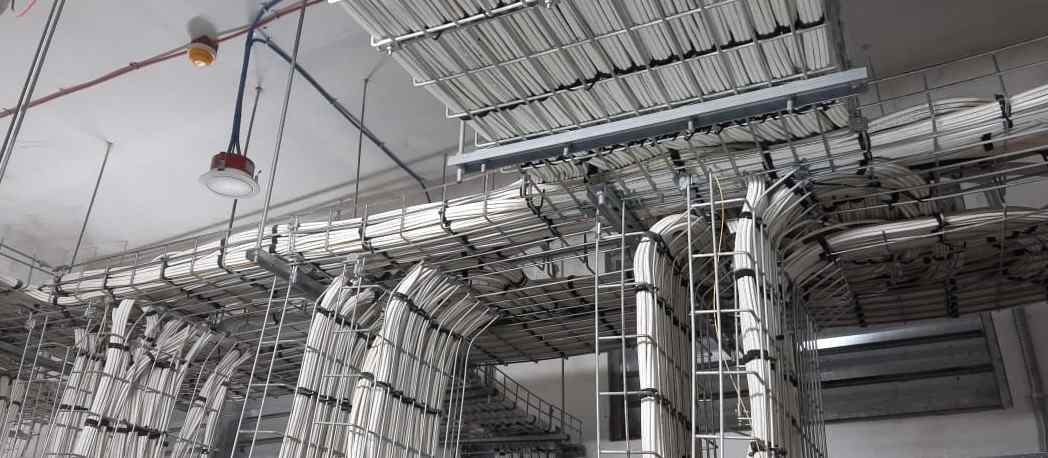
- Waterfall Routing: Implementing radius-drop brackets where cables exit overhead trays, ensuring the bend radius never exceeds TIA recommendations.
3. Tagging & Labeling Standards (TIA-606)
A cable without a label is a liability. The TIA-606-C standard provides a roadmap for professional identification.
Example: M_SW21 (R0011), here M- Main Cable, SW21–Switch 21, and R0011–Rack Name/Cable Name .
Identification Logic
[Room]-[Rack]- [Parch Panel]-[Port]>————–< [Switch] – [ Port]
Standard Format Example: 102-A-P1-24 -SW -24 & B_SFE_BYPASS2
(R0008)
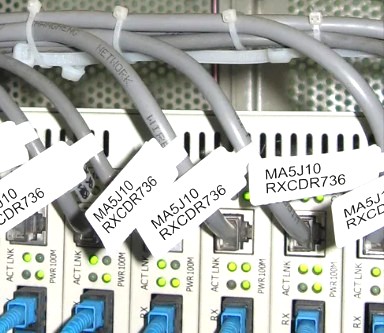
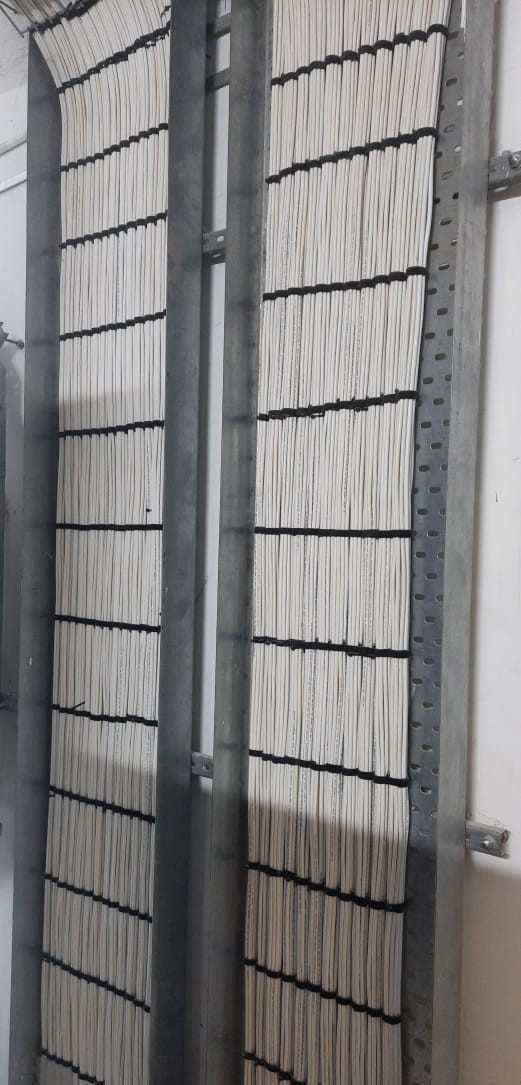
Label Placement
This test will be applicable all cables which have been installed. All of them should have been tagged
with the corresponding label at each end. Mainly those labels must indicate:
Cable number which is an alphanumeric string which can identify even the service.
- Origin: ROOM-POSITION-EQUIPMENT CONNECTION
- Destination: ROOM-POSITION-EQUIPMENT CONNECTION
- And eventually a short description Label information must identify unequivocally every cable, being permitted repeat the cable number only
- if belongs to different cabinet or position and considered as internal cable.
Apply labels to both ends of every cable within 2 to 4 inches of the termination point.
Material Selection and Checking
Use self-laminating vinyl wraps for copper and flag-style labels for high-density fiber optics.
Step 1. Check the following details at every cable:
- Cable labels are installed at both ends of the cable.
- Cable labels are easily legible and the information is protected against dust or
- corrosion.
- Labels information is coherent with Installation Drawings information and indicates
- correctly where the cables are connected.
- Service information (included eventually with cable number) corresponds with the
- real service.
- Repeat the process for each cable and note any modification, lack of information or defect of installation in the following table. Cable labels which contain any type of error must be repaired
4. Hardware: Choosing the Right Manager
| Management Tool | Functional Purpose | Recommended Environment |
|---|---|---|
| Horizontal Manager | Organizes cords between active gear and panels. | Switch-to-Panel Patching |
| Vertical Manager | Controls trunk bundles moving vertically. | High-Density Server Racks |
| Brush Panel | Blocks air bypass while allowing cable passage. | Cold/Hot Aisle Containment |
| Lacing Bar | Provides rear-side cable support. | Back of Patch Panels(pp) |
5. Conclusion: The Checklist of Excellence
For every deployment, adhere to the following checklist to ensure professional compliance:
Label Consistency: Verified dual-end tagging with durability, flexibility, and not easy tear or bent, as Standard TIA-606 logic.
Functional Color Coding: Blue (Data), Red (Uplink), Yellow (IP-Security), Green (Main Line )
Bend Radius Compliance: 4x diameter for UTP; 10x for Fiber.
Weight Relief: Rear lacing bars installed on all patch panels.
Inventory: Digital patching schedule updated in DCIM or spreadsheet.