
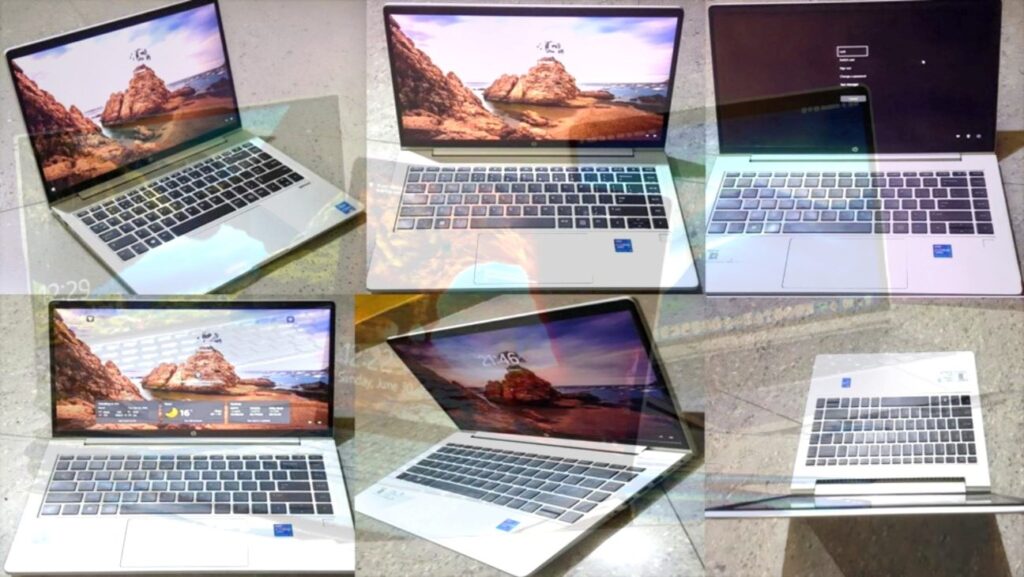
Choosing the right Laptop: key Features, and Best options
Make the right choice by balancing your needs, budget, and Tech desired specifications.
Choosing Your Perfect Device
The “best” laptop is defined by its purpose. The ideal choice is a perfect balance of performance, portability, and cost personalized to your daily tasks.
1. Define Your Primary Use Case
2. Key Specifications Explained
A. Processor (CPU – The Brain)
The CPU executes instructions, determining your laptop’s speed and efficiency. Newer generations offer better performance per watt, which saves battery.
B. Memory (RAM – Short-term Memory)
RAM stores data for currently running applications. More RAM means better multitasking and less slowdown when switching tabs.
- 8 GB: The bare minimum today. Suitable only for basic web browsing and single-app use.
- 16 GB: The Sweet Spot. Recommended for most students, professionals, and general content creation.
- 32 GB+: Power User Tier. Essential for advanced tasks like high-resolution video editing, virtual machines, and 3D rendering.
C. Storage (SSD vs. HDD)
Storage holds your operating system, files, and programs. Its speed dramatically impacts boot-up time.
Crucial for speed. Provides instant boot-up and application loading. Target 512GB or 1TB NVMe SSD for fast data transfer.
Slow, mechanical, and prone to failure. Only found in budget or specialized systems for cheap bulk storage.
D. Graphics (GPU – Handles Visuals)
The GPU renders everything you see. This is the single most important component for gaming or 3D/video work.
-
Integrated Graphics (iGPU)
Built into the CPU (Intel Iris, AMD Radeon). Handles basic tasks, web, and light photo editing. Power efficient.
-
Dedicated Graphics (dGPU)
A separate card (NVIDIA GeForce RTX, AMD Radeon RX). Essential for all serious gaming, rendering, and professional video editing.
E. Display Quality and Size
The display is your primary interface. Don’t compromise on resolution or color accuracy if you’ll be staring at it all day.
-
Size & Portability
13-14″: Max Portability. 15-16″: Best Balance. 17″+: Desktop Replacement.
-
Resolution & Refresh Rate
FHD (1080p) is standard. Choose QHD/4K for detail. Get 120Hz+ for smooth gaming/scrolling.
-
Panel Type
OLED/AMOLED: Best contrast, perfect blacks (Media/Creative). IPS: Good color and viewing angles (Standard/Professional).
3. Other Crucial Factors
Operating System
Windows (versatile, widest hardware range), macOS (stability, creative ecosystem), ChromeOS (simple, secure, budget-friendly).
Battery Life & Portability
Aim for 8+ hours of real-world use. For portability, look for devices under 1.5 kg (3.3 lbs). Consider a 2-in-1 for versatility.
Ports & Connectivity
Ensure essential ports (USB-A, HDMI, etc.) are present. Thunderbolt 4 (USB-C) is the modern standard for fast charging and peripherals.
Build Quality & Ergonomics
Prioritize durable materials (Latest aluminum, carbon fiber). A comfortable, backlit keyboard and precision touchpad are essential for daily use.
4. Budgeting and Purchase Strategies
Your budget dictates the necessary compromises. Knowing what to expect at different prices will help you avoid overpaying or underpaying.
Basic Web Browsing & Cloud Use
Focus on ChromeOS or entry-level Windows laptops. Expect slower processors, 8GB RAM (often soldered), and limited storage (256GB SSD).
- Compromise: Screen quality, plastic build materials, limited heavy multitasking ability.
- Best for: Students, light admin work, secondary/travel device.
Balanced Performance & Portability
This range provides the best value: i5/R5 or M-series CPU, 16GB RAM, 512GB fast SSD, and often a better quality display (QHD or OLED option).
- Compromise: Dedicated GPU is rare; you’ll typically get integrated graphics.
- Best for: Professionals, most academy students, general content creation.
Max Performance & Specialized Tasks
This is where you find i7/R7+ CPUs, dedicated GPUs (NVIDIA RTX), 32GB+ RAM, premium cooling, and 4K/High-Refresh Rate displays. Focus is on raw power.
- Compromise: Often heavier, battery life can be shorter (especially gaming models).
- Best for: Gamers, video editors, software developers, engineers.
5. Advanced Considerations & Ecosystem
Wireless Connectivity
Look for Wi-Fi 6/6E or 7 for faster, less congested networks. Bluetooth 5.0+ ensures stable connections for modern peripherals.
Security & Biometrics
Features like a Fingerprint Reader or Facial Recognition (Windows Hello) provide convenient, robust security for instant sign-in.
Webcam & Audio Quality
Prioritize a camera that is at least 1080p (Full HD). Look for quad-speaker setups or Dolby/DTS audio branding for better sound.
Future-Proofing & Serviceability
Check if the RAM or SSD are user-upgradable (not soldered). This is key to extending the laptop’s life, especially for Windows machines.
Summary Checklist: Your Final Decision
- Goal Defined: Match CPU/RAM (i5/R5 + 16GB is the sweet spot) to your primary use case.
- Core Specs: Always prioritize an SSD (512GB+) over an HDD. Only get a dGPU if you game or do heavy rendering.
- Display: Choose the resolution and panel type (OLED for media) that aligns with your screen-time needs.
- Connectivity: Look for Wi-Fi 6/7 and Thunderbolt 4 ports to future-proof your setup.