
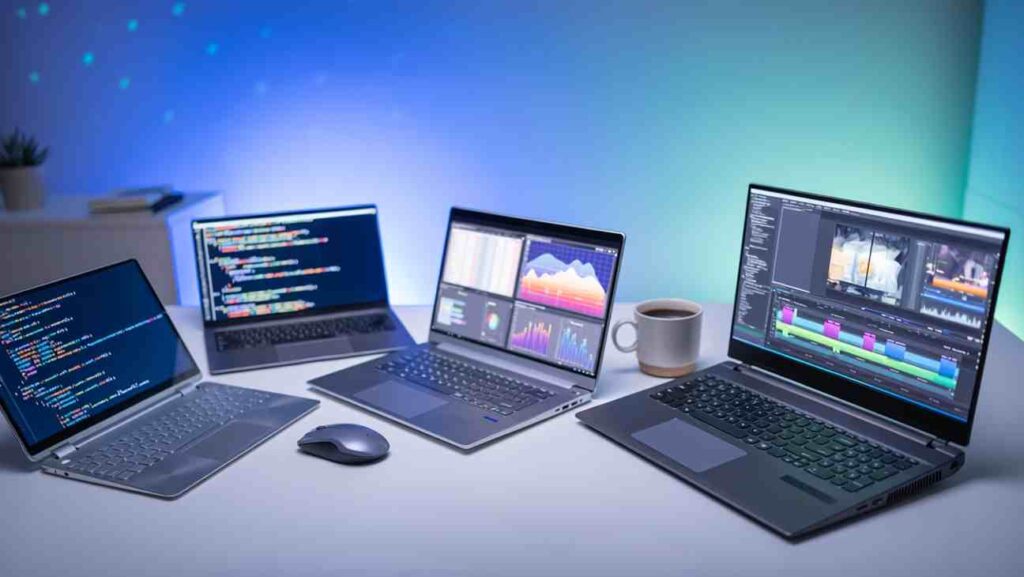
The Best Laptops 2026 Top Picks for Every Budget & Need
Balance budget with performance & features to make your laptop the best in your budget
6 Budget Ranges, Purpose, Space and Recommendations
1. Entry-Level/Budget
Price Range: $250 – $500 | €250 – €500 | ₹20K – ₹45K
Basic Use (Students, Casual Users)
- Key Specs: Core i3 / Ryzen 3 / Celeron, 4GB to 8GB RAM, 128GB-256GB SSD.
- Best For: Most affordable way to get an essential tasks done with fast boot times.
- Recommendation: Acer Aspire Lite, Lenovo IdeaPad 3, Chromebooks.
2. Mid-Range
Price Range: $500 – $800 | €500 – €800 | ₹45K – ₹70K
General Use (Professionals, Multitaskers)
- Key Specs: Core i5 / Ryzen 5, 8GB-16GB RAM, 512GB SSD, Full HD (FHD) IPS display.
- Best For: Excellent values of performance, portability, and price for most users.
- Recommendation: Acer Swift Go 14, Dell Inspiron 14, ASUS Vivobook 15.
3. Premium Mid-Range / Productivity
Price Range: $800 – $1,500 | €800 – €1,400 | ₹70K – ₹1.3L
Power Users & Content presentation (Portability & Battery)
- Key Specs: Core i7 / Ryzen 7 / Apple M-series, 16GB RAM, 512GB-1TB SSD, QHD/OLED display.
- Best For: Premium build, better displays, long battery life for demanding work.
- Recommendation: Apple MacBook Air M4, Dell XPS 13/14, ASUS Zenbook 14 OLED.
4. High-Performance / Gaming
Price Range: $1,500 – $2,500 | €1,400 – €2,300 | ₹1.3L – ₹2.2L
Serious Gamers, Engineers, Advanced Content Presentation
- Key Specs: High-end Core i7/i9 (H-series) / Ryzen 7/9, 16GB-32GB RAM, 1TB SSD, Dedicated GPU (RTX 4060+).
- Best For: Dedicated GPU and powerful cooling for intensive gaming and rendering.
- Recommendation: ASUS ROG/TUF Series, HP Omen/Victus, MSI Katana.
5. Ultra-Premium / Workstation
Price Range: $2,500+ | €2,300+ | ₹2.2L+
Professional Content Creation, Pro-level Development, Executives
- Key Specs: Top-tier Core Ultra 9 / Ryzen 9 / Apple M-series (Pro/Max), 32GB+ RAM, 1TB+ Gen4 SSD, 4K/OLED display.
- Best For: Uncompromised performance and the best displays for color accuracy.
- Recommendation: Apple MacBook Pro 16, Dell Precision, HP ZBook.
6. Tablet / High-End Portability
Price Range: $400 – $1,200 | €400 – €1,100 | ₹35K – ₹1L
Drawing, Media Consumption, Extreme Portability
- Key Specs: Advanced mobile chip (Apple M, Snapdragon), OLED/Mini-LED display, 8GB+ RAM.
- Best For: Best mobile OS integration, thin and light, excellent for touch/pen input.
- Recommendation: iPad Air/Pro, Samsung Galaxy Tab S9/S10, Microsoft Surface Pro.
Technical Specifications: Laptops Core Components
| Component | Minimum (Basic Use) | Recommended (Power Use) |
|---|---|---|
| CPU (Processor) | Intel Core i3 / AMD Ryzen 3 | Core i5/i7 / Ryzen 5/7 / Apple M-series |
| RAM (Memory) | 8GB is the new minimum standard. | 16GB (Essential for heavy work). |
| Storage (SSD) | 256GB SSD (NVMe Gen3) | 512GB to 1TB SSD (NVMe Gen4) |
| GPU (Graphics) | Integrated (Intel Iris Xe, AMD Radeon). | Dedicated (NVIDIA RTX or AMD Radeon) |
| Display | 14″ to 15.6″ Full HD (1920×1080). | IPS or OLED panel (Good color accuracy). |
| Connectivity | Wi-Fi 6, USB 3.0. | Wi-Fi 6E, Thunderbolt 4/USB4. |
| Battery Life | 4-6 hours of actual use. | 8+ hours of actual use. |
Advanced Considerations: Display Tech, Performance, & Connectivity
★ Brief display technology analysis
The screen is your primary interface—choose wisely based on your specific use case.
The most common type. Offers great viewing angles and typically covers 100% sRGB color gamut, making it excellent for general-purpose use and web design.
Offers perfect blacks (true infinite contrast) and HDR support. Look for panels that cover 100% DCI-P3 for cinema-grade color accuracy required by content creators.
Uses thousands of small LEDs for backlighting. Provides superior HDR performance and high brightness with Low eyes effect competing with OLED’s contrast without risk of burn-in.
60Hz is standard. 120Hz or higher is essential for gaming, and pair it with a low response time (under 5ms) to minimize motion blur.
⚡ Connectivity and well Ports
Ensure your laptop can Latest Trending Demand Tech connect to the world and accessories at maximum speed and security.
Provides up to 40Gbps bandwidth, enabling single-cable connections to 4K displays, external GPUs (eGPUs), and high-speed docking stations.
Not only charges the laptop but often supports DisplayPort Alt Mode, meaning you can connect to a monitor via the charging cable for video, power, and data.
Wi-Fi 6E adds the 6GHz band for uncongested speeds. Future-proof models are starting to include Wi-Fi 7, which offers even higher throughput and lower latency.
Look for Windows Hello support, which uses either a Fingerprint Reader or Facial Recognition for instant, secure sign-in. This is crucial for corporate environments and personal privacy.
❗ Performance Bottlenecks
Slow starts or system ‘hanging’ usually point to issues with memory or storage speed.
When performing multiple tasks (e.g., 20+ browser tabs, running Photoshop), the system needs enough RAM. If you start with 8GB, you will experience noticeable slowdowns; aim for 16GB RAM minimum.
Make sure your SSD is NVMe Gen 4 (or Gen 5 in Ultra-Premium models). Older SATA or Gen 3 SSDs significantly increase load times for heavy files (video projects, large databases).
For sustained heavy loads (like compiling code or 3D rendering), prioritize CPUs with high Core and Thread counts (Intel H-series or Apple Pro/Max chips) to prevent thermal throttling and long wait times.
Thin-and-light laptops often prioritize sleek design over cooling. If the thermal solution is poor, the CPU/GPU will automatically slow down (gas pedal) under sustained heavy load to prevent damage, radically reducing performance in long sessions.
General Recommendations & Buying Tips
-
Define Your Primary Purpose
If you only browse, email, and stream, go for a budget/mid-range. If you are a gamer or video editor, prioritize the CPU/GPU combination and a high-refresh-rate display.
-
Prioritize SSD and RAM
These two components have the biggest impact on responsiveness. SSD (Solid State Drive) is non-negotiable. While 8GB RAM is the minimum, try to stretch your budget to 16GB RAM for long-term smooth performance.
-
Mind the Operating System (OS)
- Windows: Most versatile, best for gaming, required for certain professional software.
- macOS (Apple): Excellent build quality/efficiency (M-series chips), best-in-class trackpads/displays, favored by creative professionals.
- ChromeOS (Chromebooks): Best for web-only tasks, very budget-friendly, excellent battery life.
-
Check the “Hidden” Features
Read reviews on the Keyboard & Trackpad comfort, ensure it has the Ports you need (USB-A, HDMI), and look for a metal chassis over plastic for better Build Quality.
-
The “Best” Tip: Long-Term Value
A higher-quality laptop (e.g., metal chassis, premium display) will hold its value longer and have fewer issues. Look for a minimum 2-year warranty or optional extended coverage. Buying slightly above your needs today saves you money on an early replacement later.
15-Question Knowledge Quiz
Test your memory and see how well you remember the top recommendations and technical details!