
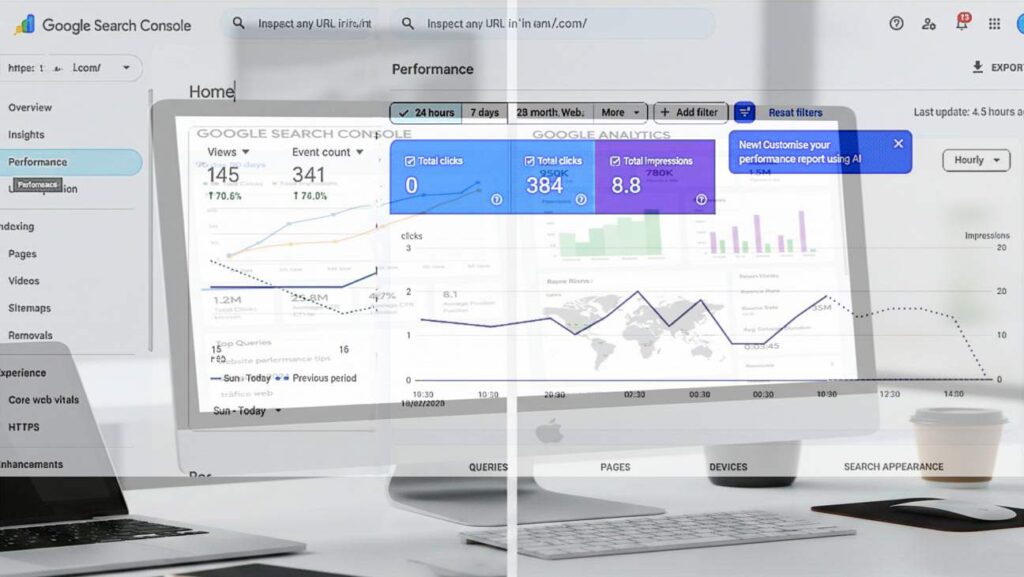
Google Search Console will provide details about your website’s information and traffic, including whether the page is indexed, web search clicks, whether it’s listed in Major Trends, traffic source/organic traffic, country, browser device, and other parameters.
Google Search Console and google analytics to Access via Emai login : What is it and how does it work?
Google Search Console (GSC) Overview:
1. Growth Trend
The graph shows your total web search clicks over a selection cycle, which is weekly, monthly, daily, 3 months, and other time periods.
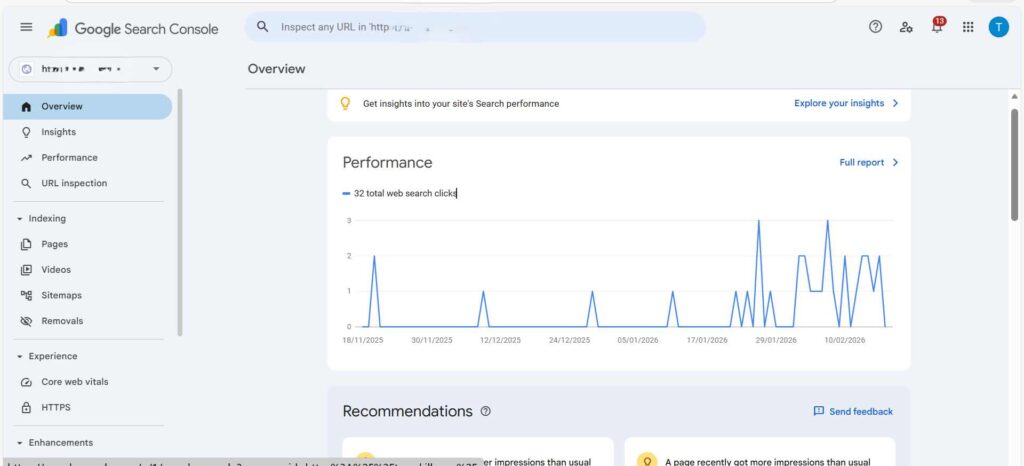
Graph Indicators and Meanings:
Flatline: Initially, you received zero clicks for a long time due to a new website or poor SEO.
“Heartbeat”: Starting late, these spikes are occurring more frequently and more frequently due to higher relevance and quality of content.
2. Key Sections to Explore
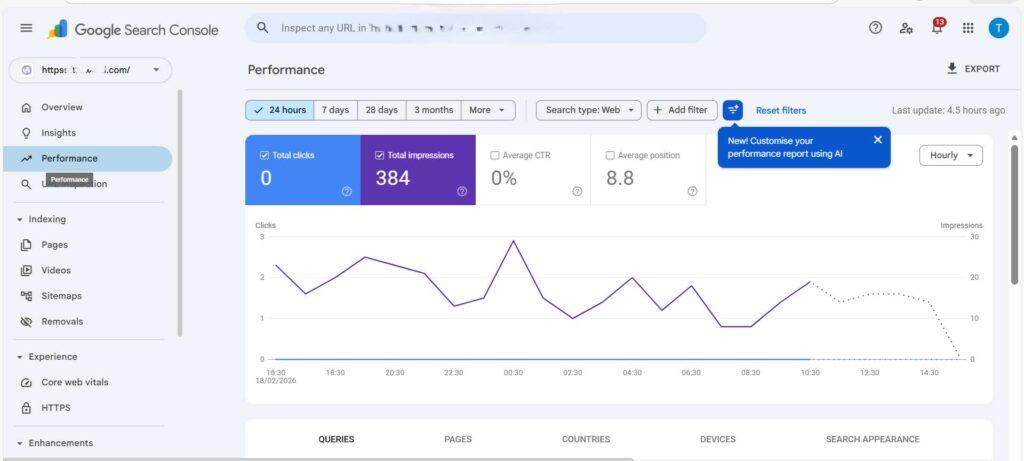
Performance (full report): To monitor the overall performance of the website and the responsiveness/quality of the information presented to people around the world.
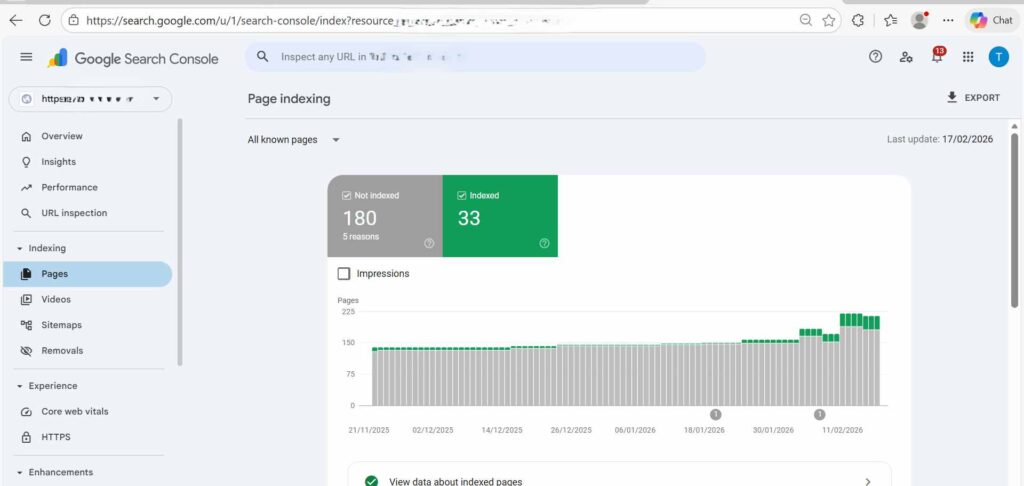
Indexing > Pages: Check here to make sure there are “green” OK. If Google has indexed many web pages, it may show them in search results, and if there are any, it will show a “red” error. If Google can’t index a page, it won’t show it in search results.
Tips for indexing web blogs/articles/pages:
Experience > Core Web Vitals: This indicates whether your site is fast enough (ms) for mobile users. Google loves fast sites.
3.Quick Observations
Consistency is key: A cluster of recent spikes indicates that whatever you’ve done this month, last month, or over a longer period of time (new content, backlinking, optimization, or technical fixes) is working.
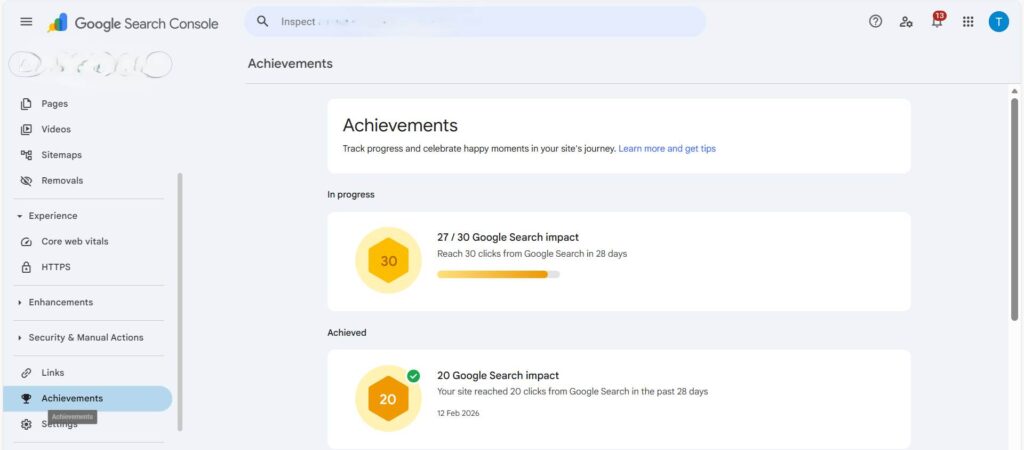
Low Volume, High Potential: Impressions are the key to indexing your website on Google search engines; if impressions are increasing, clicks will eventually increase.
Pro Tip: Check the “Queries” tab in your website’s performance report. If you see high impressions but low clicks (>4%) and high keyword density, try updating the page’s title tag, header H1, and H2 to make it more “clickable.”
4. Google Search Console Performance report
View Data
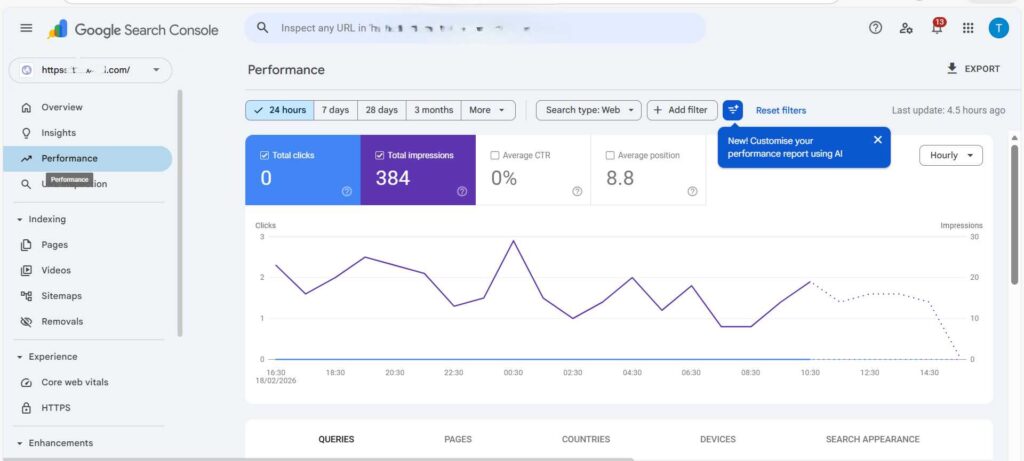
• Total Clicks: ? This is the connection between when people search for your Meta tag Title link and when it gets indexed on Google and actually clicks on it.
• Total Impressions: ? How often your website appears in Google index searches and how many people view your website’s URL meta tags daily.
• Average Position: ? This means your website appears on the first page of Google searches for the same number of queries it ranks for.
• Average CTR: ? % Click-Through Rate: This means how many people click to view your website after finding it in a search.
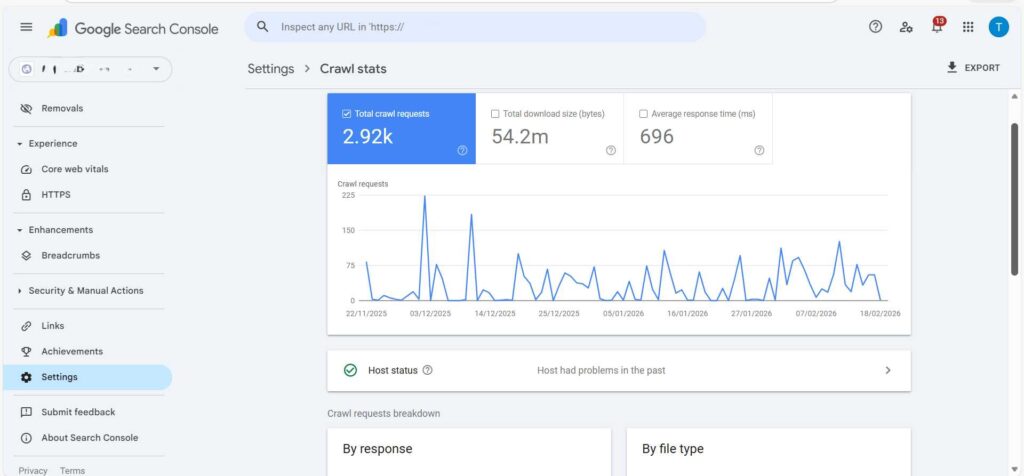
5. Settings > Crawl stats
Crawl requests breakdown: By response, by file type, by purpose and By Googlebot type to deep mining by google Crawl in your website in timeframe period.
6.Google Search Console Performance Insights & Analysis
1. High Visibility, Low Engagement
2. The “Snippet” Problem
3. Fresh Data / Small Sample Size
How to view “Device” and “Country” information and geographic access?
Click the “COUNTRIES” tab:
Click the “DEVICES” tab:
Google analytics:
Based on the Google Analytics dashboard shown in the snapshot, here’s a breakdown of your current organic traffic and user activity at this time, tracking some initial growth on your site analytics.
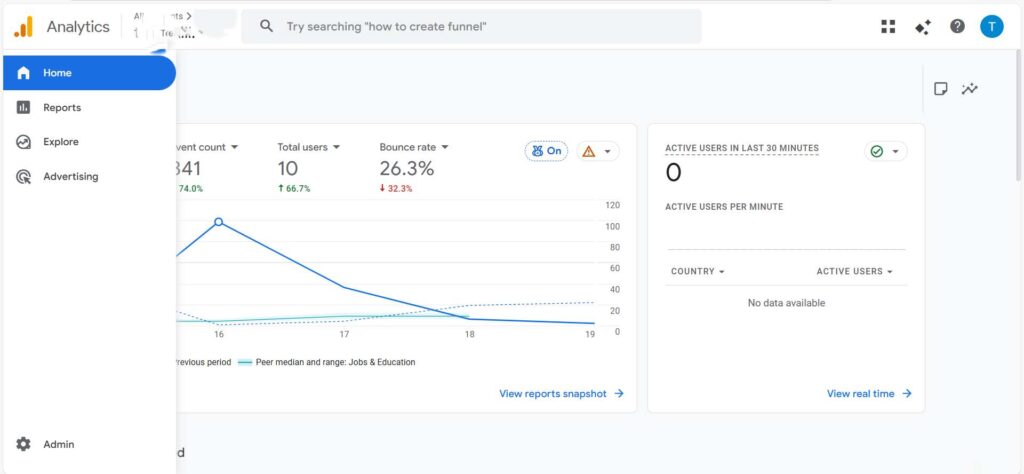
Website Traffic Analysis and Growth
1.User Overview
- New Users
- Returning Users
- Qualified Leads
2. Traffic Sources ,Country id performance (Sessions)
Google, Bing, Yahoo, Quora, Facebook, Twitter, Linden, Reddit and Instagram and other social media platforms.
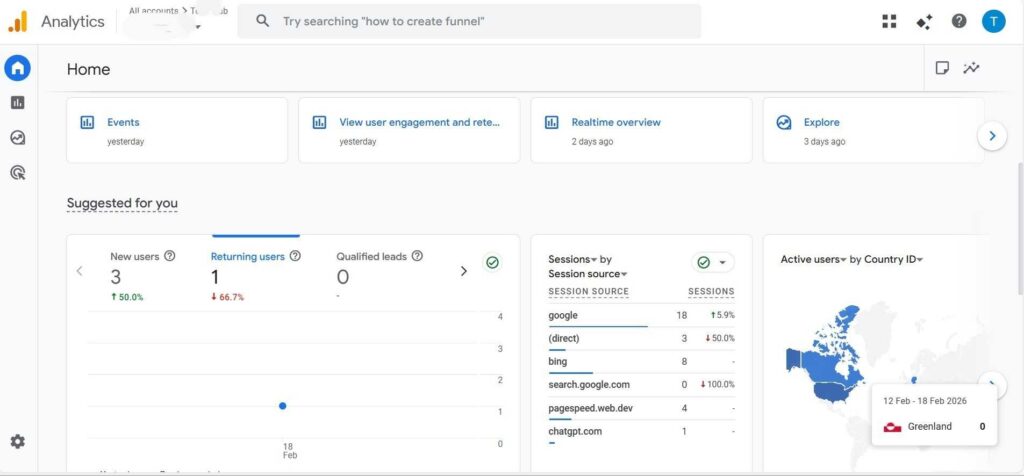
3. Dashboard Metrics Explanation and Terminology
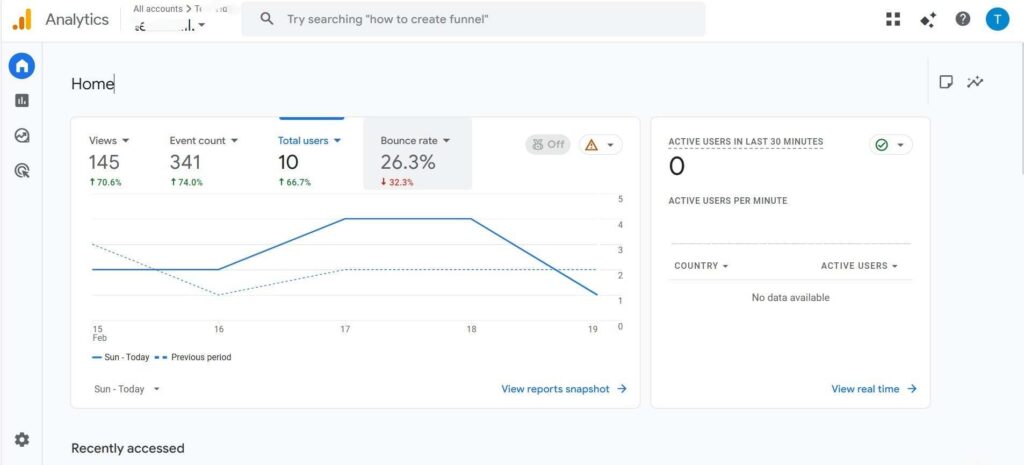
1. Total Users: Unique visitors in a timeframe.
2. Views: The number of times a search user opened the page.
3. Event Count: Total actions (clicks, scrolls, etc.) in a timeframe.
4. Bounce Rate: The percentage of users who left quickly without taking any action.
Note: The bounce rate should be low (>45%). A high bounce rate means your content is of low quality and less information is received.
5. Pages and Screens
6. Active Users
7. Revenue
8 Filter your own IP
Marketing and Revenue:
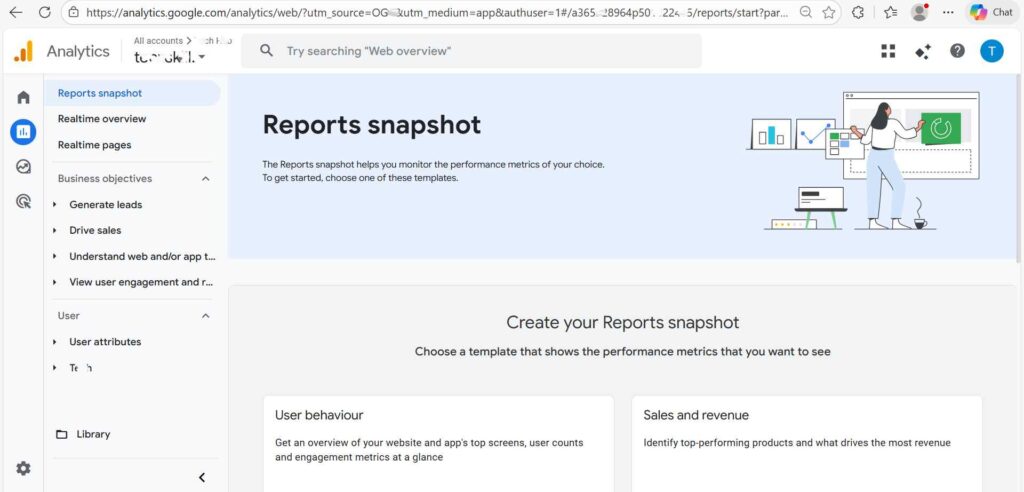
When you’re running a business, add your website, run Google Ads, set up marketing and reviews, and earn based on your niche, market, environment type, etc. to get good leads and reviews without any expense or effort.
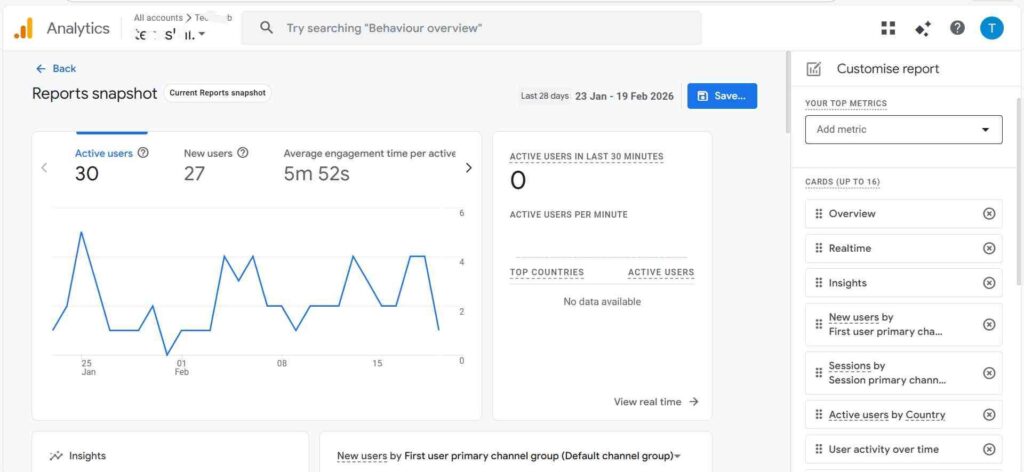
Configuration > Customize report
Customize the Reports Snapshot to suit your needs and choose which reports you want to add or remove and what the specific target audience and for more detail in Snapshot picture.
FAQ
What is the difference between Google Search Console and Google Analytics?
How to use Google Search Console and Google Analytics
Which of Google Search Console and Google Analytics is best and most accurate for providing traffic and website engagement?
How to configure and filter as needed, and how to track leads and other performance compared?